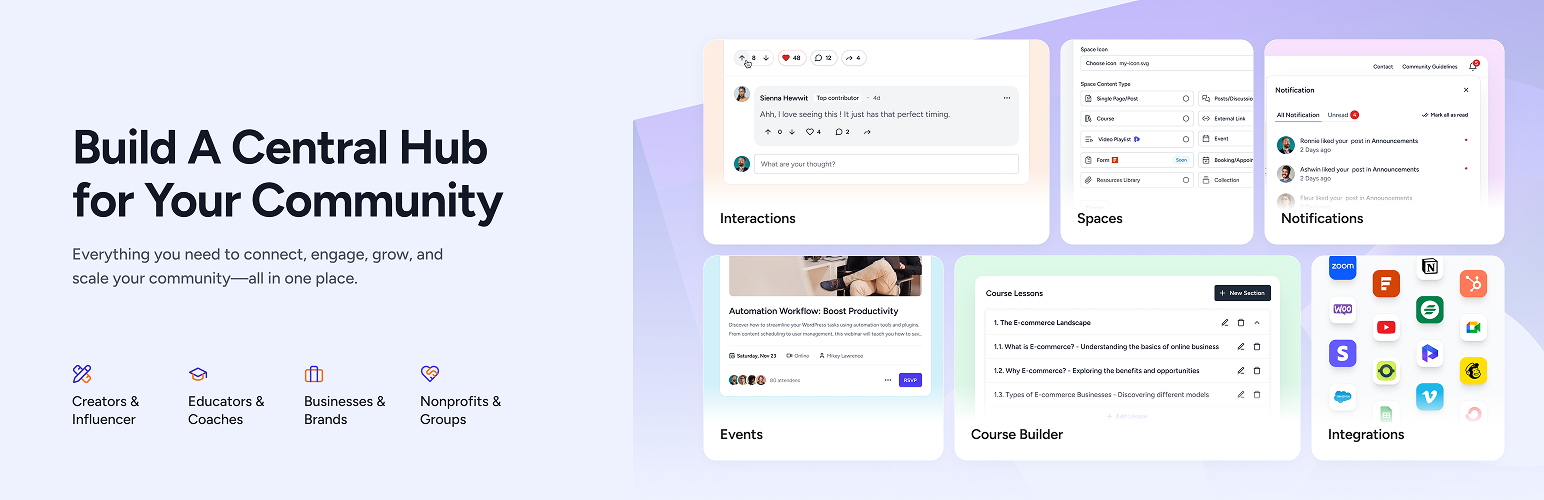

Description
SureDash turns your WordPress site into a full community platform.
No need to send your members to another app. No monthly per-member fees. Everything lives on your site, under your brand, with your data.
Set it up in minutes. Create spaces for discussions, courses, resources, and events. Your members get a clean dashboard, their own profiles, and real-time notifications — all without leaving your website.
Try the live demo — no signup required.
Why SureDash?
Most community tools make you choose: pay monthly fees to a third-party platform, or spend weeks building something custom.
SureDash gives you a third option — a ready-to-go community platform built right into WordPress. You keep full ownership of your content, your members, and your brand.
What You Can Build
Discussion Spaces — Give your members a place to talk, ask questions, and share ideas. Threaded replies, rich text, reactions, bookmarks, and GIF support included.
Online Courses — Build structured courses with sections, lessons, and progress tracking. Members pick up where they left off.
Member Dashboard — A clean, branded home base for your members. They see their spaces, activity, and notifications in one place.
Resource Libraries — Share files, guides, links, and downloads in organized collections.
Events — Schedule and display upcoming events, webinars, and meetups.
User Profiles — Each member gets a profile with a bio, social links, activity history, and badges.
Free Features
- Beautiful member dashboard with light and dark mode
- Custom login and registration pages (with Google and Facebook sign-in)
- Discussion forums with threaded comments and reactions
- Multiple spaces to organize your community
- User profiles with social links and activity feeds
- Badges to reward active members
- Real-time notifications
- Giphy integration
- List and grid view layouts
- Sorting and filtering options
- Visual customizer — match your brand colors and style
- Mobile-friendly responsive design
- Works with any WordPress theme
SureDash Pro
Take your community further:
- Course Builder — Create full courses with sections, lessons, and progress tracking
- Member-Created Posts — Let your members start discussions, not just comment
- Private Spaces — Restrict spaces to specific members or groups
- Resource Library — Organize and share files, documents, and links
- Events — Schedule events and display them beautifully
- Email Notifications — Keep members engaged with automatic email updates
- Leaderboard — Gamify your community with points, levels, and member rankings
- Priority Support — Get help directly from our team
Works Great With
SureDash is part of a powerful WordPress ecosystem:
- SureMembers — Protect content, create membership tiers, and control who sees what. Assign new registrations to access groups automatically.
- SureCart — Sell memberships, courses, and digital products. SureDash integrates directly with your SureCart store.
- Astra Theme — The most popular WordPress theme, fully compatible with SureDash layouts.
Each works independently, but together they give you a complete membership and community business — all on WordPress.
Perfect For
- Coaches and educators building a learning community
- Creators who want to own their audience (not rent it)
- Membership sites that need a member-facing dashboard
- Businesses building a customer community or support hub
- Anyone moving away from expensive monthly community platforms
Links
Blocks
This plugin provides 11 blocks.
- Portal: Search Display portal search.
- Portal: Space Title Display portal title.
- Portal: Identity Display portal identity.
- Portal: Home Display entire community portal.
- Portal: Navigation Display aside portal navigation.
- Portal: Notification Display portal notification.
- Portal: Dynamic Icons Display customizable dynamic icons for portal navigation.
- Portal: Color Switcher Switch between light and dark color palettes.
- Portal: Profile Display portal profile.
- Portal: Content Display portal content.
- Portal: Dynamic Icon Display an icon linking to a social profile or site.
Installation
- Go to Plugins > Add New in your WordPress dashboard
- Search for SureDash
- Click Install Now, then Activate
- Follow the setup wizard — your community is ready in minutes
Or upload the plugin zip file via Plugins > Add New > Upload Plugin.
FAQ
-
Do I need any coding skills?
-
Not at all. SureDash works out of the box. Install it, follow the setup wizard, and your community is ready. Everything is point-and-click.
-
Will it work with my theme?
-
Yes. SureDash is designed to work with any standard WordPress theme. It works especially well with Astra, Kadence, and other popular themes.
-
Can members create their own posts?
-
In the free version, admins create posts and members can comment. With SureDash Pro, you can let members create posts too.
-
Is my data safe?
-
Your data stays on your WordPress site. Unlike third-party platforms, you own everything — your content, your member data, your community. Nothing is stored on external servers.
-
Can I restrict access to certain spaces?
-
Yes. With SureDash Pro and SureMembers, you can create membership tiers and control exactly who has access to which spaces.
-
Yes. Google and Facebook sign-in are included in the free version.
-
How can I report a security bug?
-
We take plugin security seriously. Report vulnerabilities through our Bug Bounty Program.
Reviews


Contributors & Developers
“SureDash – Community, Courses & Member Dashboard” is open source software. The following people have contributed to this plugin.
Contributors
“SureDash – Community, Courses & Member Dashboard” has been translated into 1 locale. Thank you to the translators for their contributions.
Translate “SureDash – Community, Courses & Member Dashboard” into your language.
Interested in development?
Browse the code, check out the SVN repository, or subscribe to the development log by RSS.
Changelog
2026-04-15 – version 1.7.2
- New: Added customizable title options for the About Space and Recent Activities widgets.
- Improvement: Sorting and view preferences are now saved per space instead of globally.
- Improvement: Made plugin strings fully translatable for better localization support.
- Improvement: Improved error handling and client-side validation for Login and Registration blocks.
- Fix: Disabled default WordPress comment notification emails for SureDash post types to prevent duplicate or unwanted emails.
- Fix: Notification emails now use the “From Email” configured in SureDash Settings instead of the WordPress admin email.
- Fix: Posts with restricted visibility are no longer shown to unauthorized users in the feeds list view.
2026-03-27 – version 1.7.1
- Fix: Resolved issue where multi-paragraph comments displayed incorrectly in a horizontal layout.
- Fix: Addressed ‘headers already sent’ warning impacting portal login page.
2026-03-25 – version 1.7.0
- New: Introduced sorting options for Discussions and Feeds to help users organize content more efficiently.
- New: Added a List view layout for Discussions and Feeds, providing an alternative and more structured browsing experience.
- New: Added customization options for Login and Registration block titles.
- New: Introduced new action hooks ‘suredash_before_file_delete’ and ‘suredash_after_file_upload’, allowing developers to execute custom logic before file deletion and after file upload.
- Improvement: Enhanced UI for post comments along with overall UI enhancements.
- Improvement: Repositioned Bookmark and Post action menu to the top with UI/UX enhancements.
- Improvement: Responsive CSS improvements.
- Improvement: Re-generate fonts on Site URL or Home URL change.
- Improvement: The “Copy URL” option is now hidden from the post action menu if the Share Button is disabled.
- Improvement: Space groups will no longer be displayed if they are empty or if all spaces inside them are hidden.
- Improvement: Added pre-compatibility support for SureMembers Core plugin.
- Improvement: Added WebP support for profile photo uploads.
- Fix: Feed and user profile posts were not being restricted when the Portal was restricted via SureMembers.
- Fix: Fixed sidebar height CSS issue in the classic layout to ensure proper alignment and full-height rendering.
- Fix: Fixed an issue in Safari where the cursor position was lost when opening the emoji picker popup.
2026-03-12 – version 1.6.3
- Improvement: Hardened the security of the plugin.
- Fix: Fixed an issue where email notifications were not being saved correctly.
2026-02-24 – version 1.6.2
- Improvement: Sidebar can now be used with all container width options. Previously, enabling the sidebar forced the layout to full width.
- Improvement: Feeds now display the discussion space from which each post originates for better context and clarity.
- Fix: Resolved an issue where the unboxed container style was being applied incorrectly to discussion spaces.
- Fix: Reduced Google OAuth scopes to only request necessary permissions (openid, email, profile).
- Fix: Prevent false password mismatch error from browser autofill.
1.6.1 – 12th February 2026
- New: Added ‘suredash_identity_block_url’ filter to customize the identity block redirect URL.
- Fix: Kadence theme styles incorrectly loading on auth pages, leading to layout issues.
- Fix: Reverted the default template assignment to the portal layout for newly created pages.
1.6.0 – 9th February 2026
- New: Introduced Portal Layout template for posts and custom post types to ensure a consistent portal experience across all pages. (https://suredash.com/docs/use-portal-layout-template-for-site-wide-pages/)
- New: Added a Space Sidebar feature that provides quick access to relevant sections within a space. (https://suredash.com/docs/space-sidebar-layout/)
- New: Unread post count is now displayed for Discussion Post spaces in the portal.
- New: SureMembers Compatibility – Configure SureMembers memberships to send notifications to targeted users within selected memberships.
- New: SureMembers Compatibility – Added an Access Group selection option in Integration settings to automatically assign newly registered users to the selected group.
- New: Introduced an option to reset the cover image under Edit Profile settings.
- Improvement: Fixed ACSS-related CSS compatibility issues on Portal pages.
- Improvement: Separated Profile and Cover Image upload limits from the general Assets Upload Limit for better control.
- Improvement: UI tweaks and refinements for an improved user experience.
- Improvement: Portal notifications for post and comment replies now redirect directly to the relevant comment.
- Fix: Removed the visual flicker on the frontend where the site briefly appeared in dark mode before switching to light mode on page load.
- Fix: Resolved social login button spacing issues and fixed the social button position option in the login form.
- Fix: Fixed an issue where the emoji selector was not working on the portal frontend.
1.5.4 – 29th December 2025
- New: Added ‘suredash_post_content’ filter to modify post content before it’s returned.
- Improvement: Showing Post Edit and Delete options for Discussion posts only.
- Improvement: Clicking on a comment author now redirects to the author’s profile.
- Improvement: Disabled rendering of the SureCart floating cart icon on Portal pages.
- Fix: Resolved translation word order issue for relative time stamps (e.g., “5 days ago”) in non-English languages like French.
- Fix: Resolved a compatibility issue that prevented SureCart onboarding from completing successfully.
- Fix: Resolved WordPress import errors caused by a missing SureDash method.
- Fix: Resolved block editor console errors caused by the ‘Back to SureDash’ button.
- Fix: Fixed Notification & Profile menu drawer position for RTL languages.
- Fix: Resolved an issue where the Turnstile captcha was not refreshing after a failed login attempt.
- Fix: Fixed special characters (š, č, ž, etc.) appearing bold by including extended Latin subset in Google Fonts loading.
- Fix: Corrected the “Lost Password” link to redirect to the portal’s password reset screen instead of the default WordPress page.
1.5.3 – 1st December 2025
- Fix: Added compatibility for WordPress 6.9.
- Fix: Updated Portal ‘Remember Me’ to store cookies for 14 days instead of session-only.
- Fix: Fixed issue where email notification status was not updating.
- Fix: Resolved missing first/last name in Portal Google registration and login flow clearing user names.
- Fix: Fixed Quick View modal content height issue in Zen Browser.
- Fix: Improved Breakdance compatibility for the Space Editor.
1.5.2 – 24th November 2025
- New: Added “Preserve HTML in Excerpts” option in Community Settings to maintain formatting (bold, italic, links, line breaks) in post excerpts. Enabled by default for new installations. ( https://suredash.com/docs/preserve-html-formatting-in-excerpts/ )
- Improvement: Post likes available with tooltip support in Quick View post modal.
- Fix: Post author badges displaying twice in the Quick View post modal.
- Fix: SureMembers Compatibility – The protected media URL from SureMembers was redirecting to a discussion space in some edge cases.
1.5.1 – 19th November 2025
- Fix: Quick View post modal was not working for SureDash User role users.
- Fix: Duplicated More options menu visible on single post view.
- Fix: Reverted back “Preserve HTML in Excerpts” option due to compatibility issues, until next update.
1.5.0 – 19th November 2025
- New: Introducing Notifications for portal users for various purposes. ( https://suredash.com/docs/notifications-system-in-suredash/ )
- New: Introduced the Badges system for community gamification.
- New: Administrator users can also be listed from Users > User Roles filter, for assigning badges to admin portal managers.
- New: Introducing emoji support for space icons to enhance visual communication and express emotions more effectively.
- New: Introducing “Reset” ability for Light-Dark color palettes to get back to the default configuration.
- New: Added “Preserve HTML in Excerpts” option in Community Settings to maintain formatting (bold, italic, links, line breaks) in post excerpts. Enabled by default for new installations. ( https://suredash.com/docs/preserve-html-formatting-in-excerpts/ )
- New: Introduced “Website” & “Headline” fields under user profile settings.
- New: Introducing Social links for the user profile to showcase on the user view page. ( https://suredash.com/docs/add-social-links-to-your-profile/ )
- New: Introduced a “Thumbnail Image” option for link space for showcasing on the home page view.
- Improvement: Improved the design UI for like-comment-share trigger buttons under spaces and posts for better responsive handling and user interaction.
- Fix: Private community now redirects users back to the originally requested portal space URL after login.
- Fix: Log out from the portal now redirects to the portal login page instead of the main site URL.
- Fix: Flushing rewrite rule after post type registration, causing 404 for portal posts.
- Tweak: The Comment box with a big-sized image now has a scroll to reach the end.
- Tweak: The Quick View post modal no longer has a fixed height.
- Tweak: Allowed all space types to be selected in SureCart integration.
- Tweak: Previously, a large-sized image upload in the comment box was causing a scrolling UI glitch.
- Tweak: When navigating from a space edit screen back to the spaces list, the view now automatically scrolls to the recently edited space instead of staying at the top.
- Tweak: All portal templates adjusted for better mobile responsiveness. ( https://suredash.com/docs/suredash-portal-template-patterns/ )