

Description
Sole Engine gives a WordPress site a single AI connection. You enter one key in
one settings page, and every plugin using WordPress’s AI features uses it,
including future plugins by Sole Computer.
- One key configures AI for the whole site
- Semantic indexing of your content
- A local PHP API other plugins call
- Block any plugin from using the engine
- If the service is unreachable, your site keeps working. The plugin is built
so that its own failure does not break the site.
External services
This plugin relies on Sole Engine, an external service operated by Sole
Computer (https://sole.computer). The plugin cannot perform AI work without
it, and it requires an active Sole Account membership at sole.computer.
Terms of service: https://sole.computer/wordpress/engine/terms.html
Privacy policy: https://sole.computer/wordpress/engine/privacy.html
The plugin contacts engine.sole.computer over HTTPS. The link to
https://account.sole.computer/ is for a person to create or revoke keys; the
plugin does not send that site your key or content. In debug mode an
administrator can replace the Engine destination with another HTTPS host.
What is sent, and when. Every Engine request includes a site identifier;
authenticated requests also include the saved key. Consumer plugins can send
task names, content and options for asynchronous AI work. On WordPress 7, the
Sole provider can send prompt content synchronously to /v1/tasks/execute from
any request context, including a front-end page, while the default-on “Allow on
front-end requests” setting remains enabled. That call can consume account
quota. Disabling that setting confines it to admin, REST, cron and AJAX.
Loading Settings > Sole Engine with a usable configuration can check the saved
key and account quota at /v1/account/status; Refresh Account Status forces
another check.
With semantic features enabled, saving or publishing a public post sends its
title, content and excerpt for embedding. Deleting or unpublishing sends
field-scoped selectors that remove those embeddings. WordPress cron also does
background work: sole_engine_bulk_index_batch can run every minute while an
indexing drain is owed; sole_engine_reindex_poll can run hourly to fetch and
repair failed verification receipts; and sole_engine_space_poll can run
hourly to read the public, unauthenticated, non-billable embedding-space
identity. These jobs are scheduled only on a configured site. Ordinary site
traffic can re-arm owed bulk work and the space poll without an administrator
opening the settings page. If the service’s embedding model or version changes,
the plugin can automatically re-embed the full corpus, which consumes quota.
Stored data. Synchronous task content is processed transiently. Asynchronous
task records can retain their submitted content and reply while pending and for
a limited period after completion. Semantic indexing transmits raw chunks to
derive embeddings; the service stores vectors and coordinate/version metadata,
not the raw indexed text. Stored site data can be purged from the settings page.
Turning semantic features off stops embedding, deletion and semantic cron
requests, but does not disable non-semantic LLM operations or account checks.
Licence
See LICENSE and SOLE-ADDITIONAL-TERMS.txt for the SOLE Section-7 notice.
Copyright (C) 2026 Sole Computer.
Source code
The distributed PHP and admin.js files are the complete, human-readable
plugin source. No bundler or minifier is used. Release packages are generated
by a deterministic allowlisted packaging step that normalizes line endings and
removes non-distributed comments.
Screenshots
Installation
- Install and activate Sole Engine.
- Open https://account.sole.computer/ and create a key.
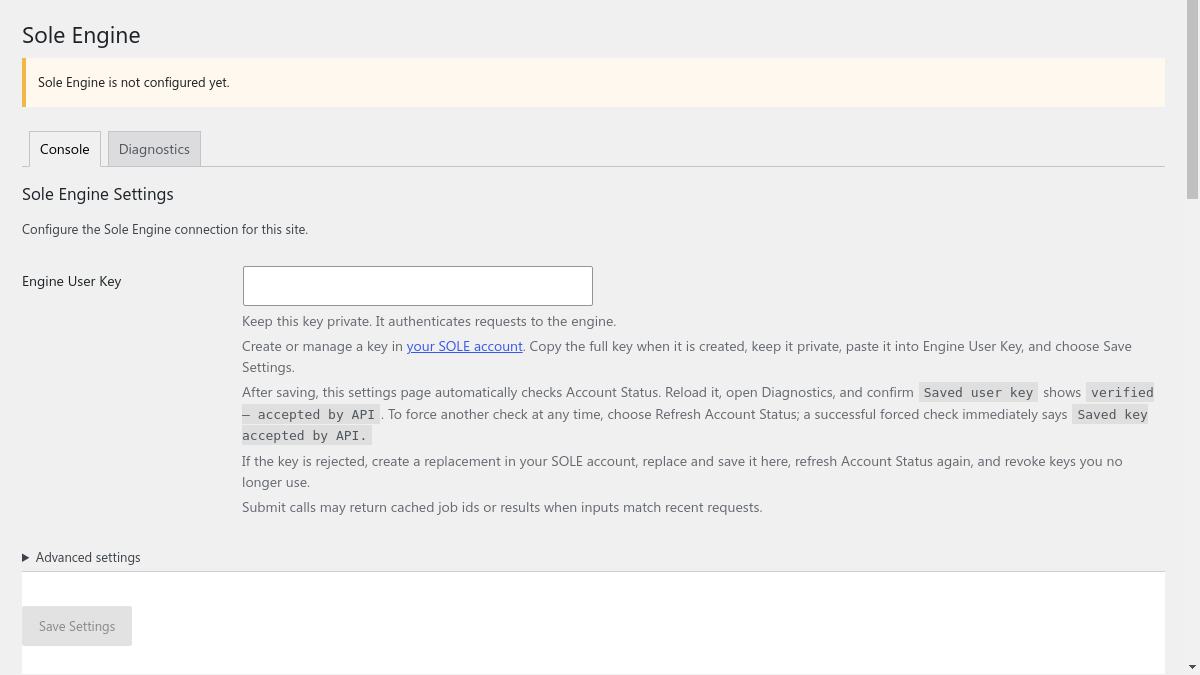
- Paste it into Settings > Sole Engine and save.
FAQ
-
Do I need a key?
-
Yes. Without one the plugin installs and activates normally but performs no AI
work. -
Can I stop content being stored?
-
Yes. Turn semantic features off, and purge stored data from the settings page.
Reviews
There are no reviews for this plugin.
Contributors & Developers
“Sole Engine – AI LLM Provider” is open source software. The following people have contributed to this plugin.
Contributors
Translate “Sole Engine – AI LLM Provider” into your language.
Interested in development?
Browse the code, check out the SVN repository, or subscribe to the development log by RSS.
Changelog
1.0.1
- Reliability fixes for semantic indexing: recover missing cron schedules, reconcile failed indexing receipts for retry, and scope deletions to each indexed field.
1.0.0
- Initial release.