
Description
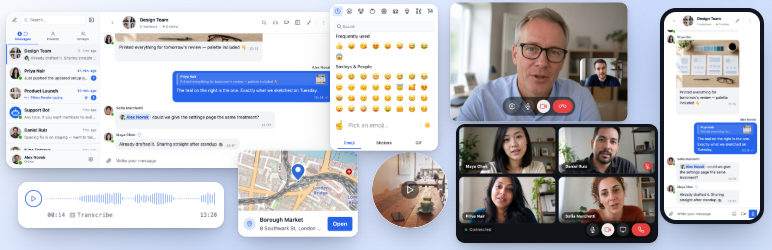
Better Messages is the most feature-rich realtime private messaging system for WordPress, with native integrations for BuddyPress, BuddyBoss Platform, Ultimate Member, PeepSo and any other WordPress powered websites.
Transform your WordPress site into a powerful communication platform with private messaging, chat rooms, video and audio calls, group video chats, AI chat bots, and native mobile apps.
Whether you’re building a private or public community, social network, intranet, chat-rooms site, marketplace, membership site, dating platform, or creator economy site – Better Messages provides enterprise-level messaging features with an easy-to-use interface.
Try Better Messages:
- Live Demo — fully functional demo site
- Documentation & Knowledge Base — setup guides, features, FAQ
- All Integrations — every supported plugin and theme
- Pricing — free vs WebSocket version comparison
- Blog & Tutorials — guides, walkthroughs, integration deep-dives
For developers:
- REST API Reference — every endpoint and parameter
- PHP Hooks — actions, filters, helper functions
- JavaScript Hooks — frontend events and customization API
- Changelog — every release and bug fix
- Roadmap — upcoming features and votes
Popular use cases:
Better Messages is widely used to power messaging for:
- Private communities — paid and members-only community platforms, mastermind groups, alumni networks, course cohorts, coaching circles, role-restricted messaging, group chats, AI Chat Bots for onboarding and FAQs, end-to-end encryption for sensitive conversations
- Public communities and social networks — open social platforms, hobby and interest communities, BuddyPress / BuddyBoss / PeepSo / FluentCommunity-powered sites, private messaging, group conversations, chat rooms, mini chat widgets that follow users across the site
- Intranet and corporate websites — internal employee communication, team and department channels, role-restricted access by WordPress role, file sharing, voice and video calls for remote teams, self-hosted plan for sites with data-sovereignty requirements
- Chat rooms websites — sites built around real-time chat rooms as the primary feature, public and private rooms, topic-based discussion, guest access for unregistered visitors, AJAX or WebSocket delivery
- Dating and matchmaking sites — private 1-on-1 chat, photo and video attachments, voice and video calls, profile-to-profile chat buttons on member directories, guest chat for browsing visitors, end-to-end encryption for private conversations
- Creator economy and fan platforms — paid messaging with per-message and per-call billing via GamiPress or MyCRED, private video calls, mass messaging to fans, always-on mini chat widgets
- Premium and monetized DM platforms — charge per direct message or per call with per-role pricing, balance display, role-restricted messaging, AI Content Moderation to filter spam and scam attempts
- Coaching and mentorship platforms — client-to-coach DMs, scheduled video calls, voice messages, file sharing, course chat rooms via LMS integrations
- Online stores (WooCommerce) — pre-sales chat on product pages, post-purchase order support, cart-context-aware messages, embedded inbox in My Account
- Multi-vendor marketplaces and classifieds — buyer-to-seller chat on every listing, per-listing threads, guest chat for unregistered visitors
- Online courses (LMS) — course chat rooms, instructor-to-student DMs, group conversations for cohort-based courses
- Forums and Q&A communities — Private Message link on every reply, follow-up chat for thread participants
- Real estate and listings sites — agent inquiry messaging, property-context chat threads, guest chat for browsing visitors
- Live events and webinars — event lobby chat rooms, guest access for non-registered attendees, group voice and video calls for AMAs, pinned messages with event agendas
- Booking and appointment platforms — guest-to-host messaging on listings and bookings, file sharing for documents, voice and video calls before check-in
- Crypto and Web3 communities — token-gated chat rooms via membership plugin and WordPress roles, AMA group calls, AI knowledge bots for whitepaper questions, mobile apps for on-the-go engagement
“Better Messages” plugin is formerly called “BP Better Messages“.
Translate Better Messages to your language
Core Messaging Features:
- AJAX or WebSocket powered realtime conversations
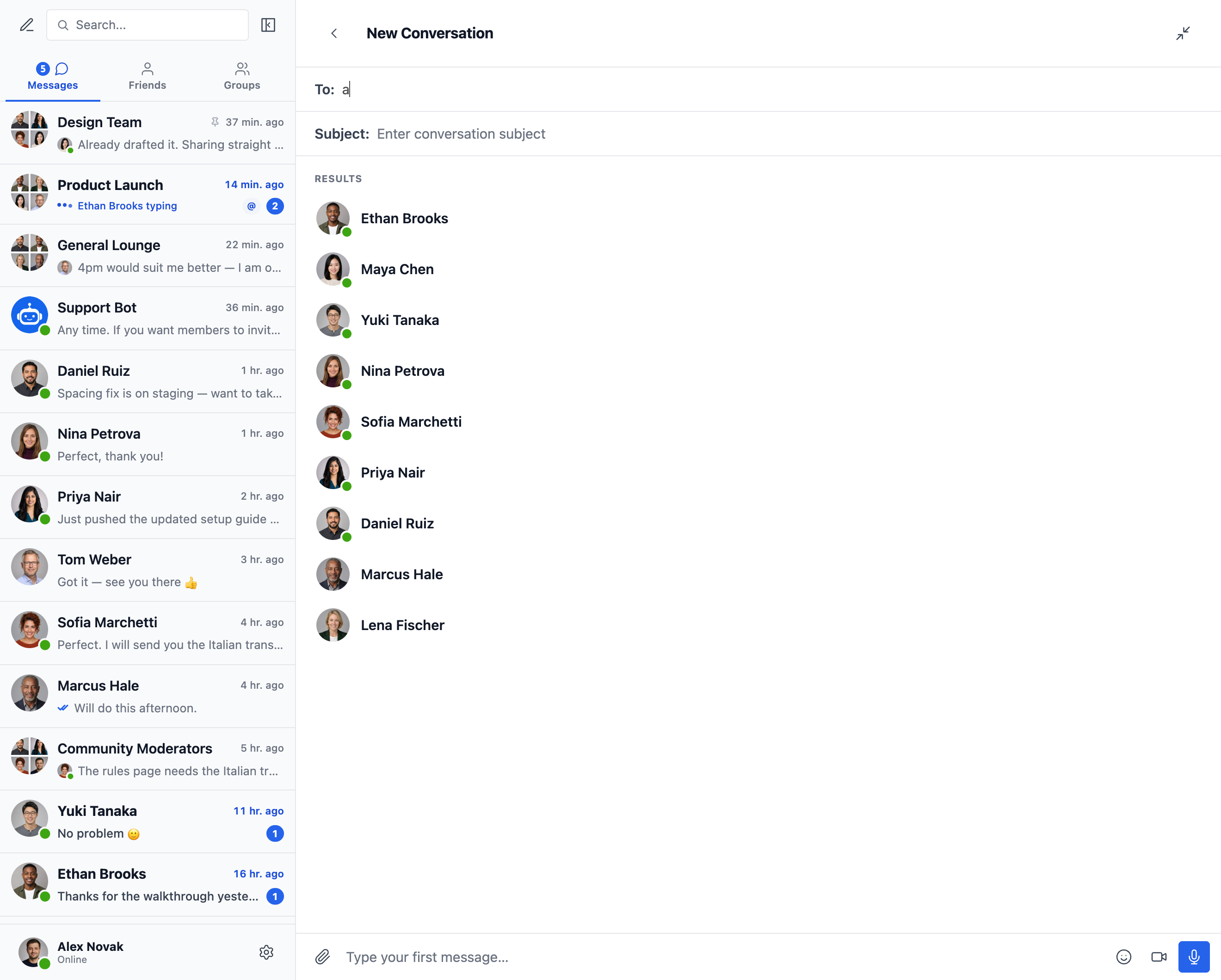
- Private one-to-one conversations
- Group conversations with unlimited participants
- Chat Rooms with guest access support
- Messages for BuddyPress Groups, PeepSo Groups, Ultimate Member Groups, FluentCommunity Groups
- Subjects for conversations
- Search across all messages
- Mark messages as favorite
- Pin important messages to conversation top
- Pin favorite conversations to list top
- Filter conversations list to show only unread conversations
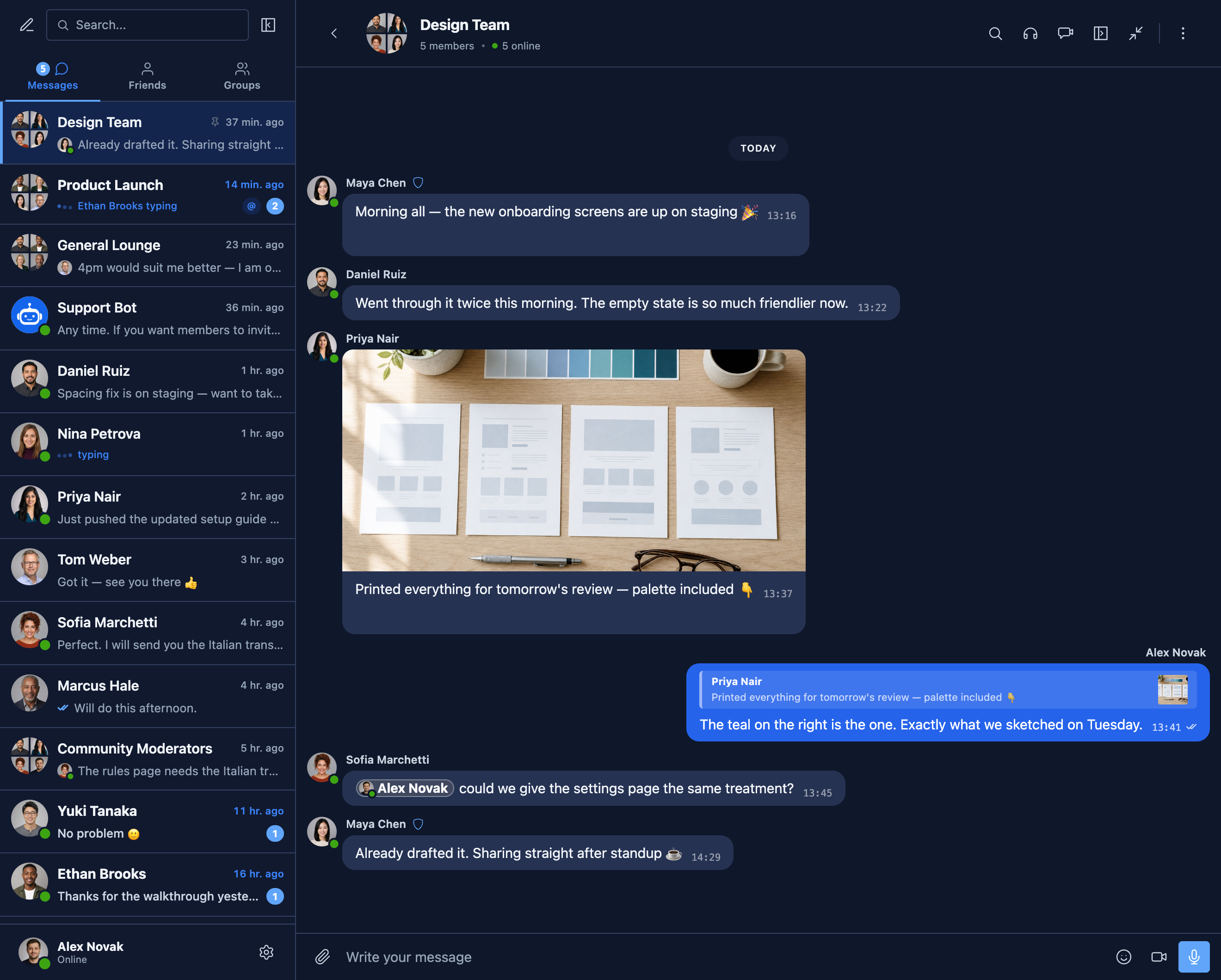
- Reply to specific messages
- Edit sent messages (with edit indicator)
- Delete messages
- Forward messages to other conversations
- Mute conversation notifications
- Message draft autosave with recovery
AI & Automation:
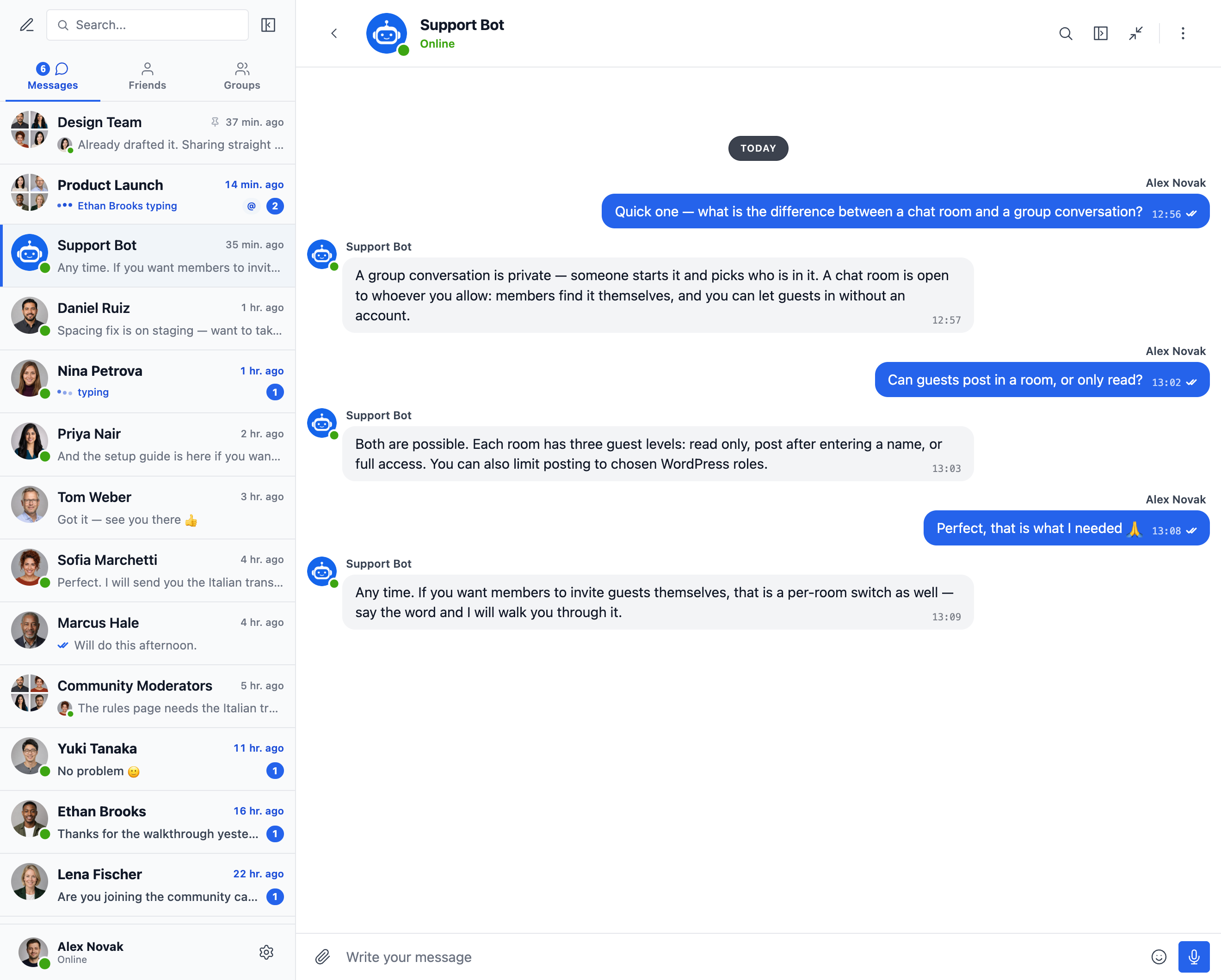
- AI Chat Bots powered by OpenAI, Anthropic (Claude) and Google Gemini
- AI Chat Bots in group conversations with mention-based responses
- Conversation summarization and scheduled digests with AI
- Token usage tracking with cost estimation
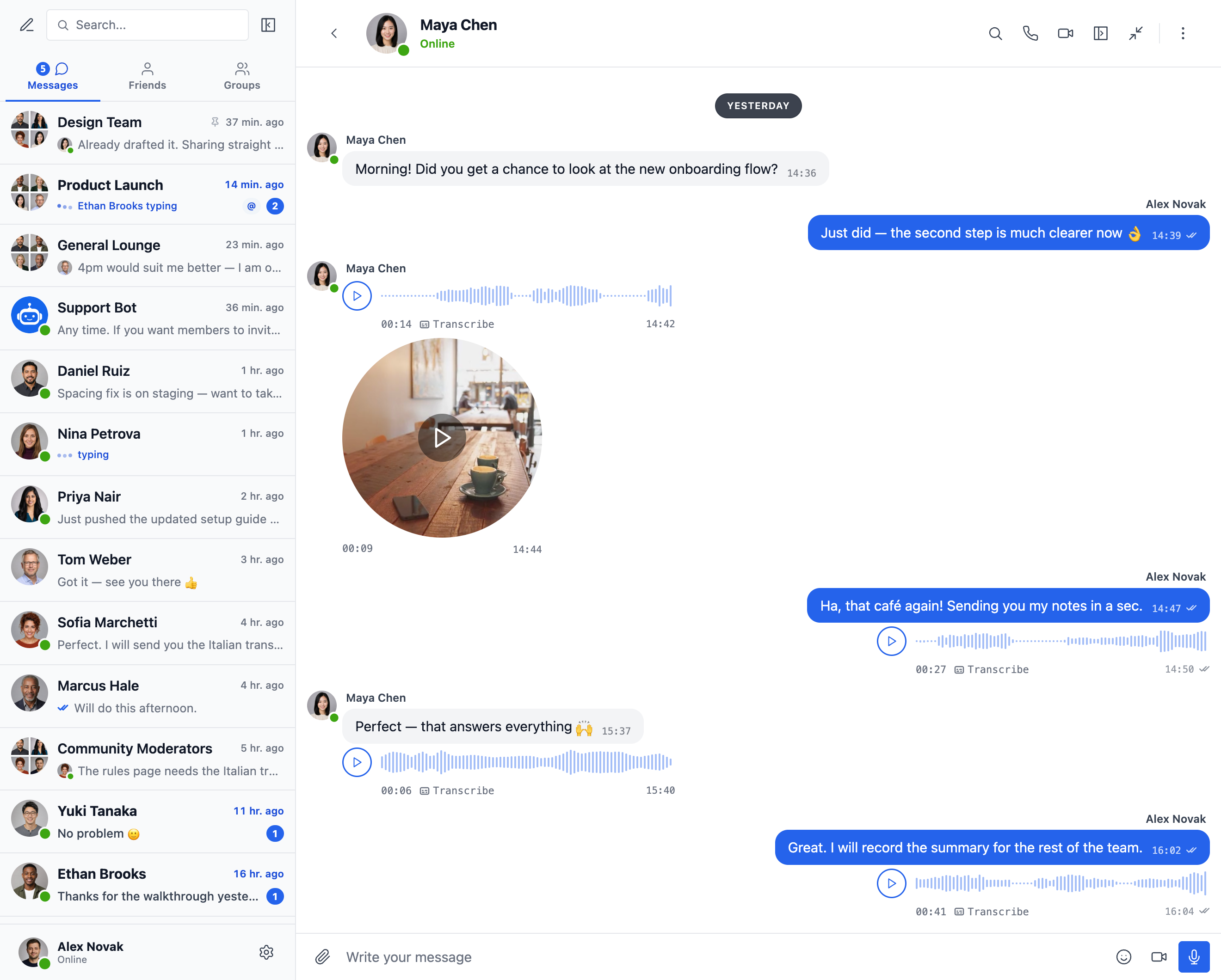
- Voice message transcription powered by Better Messages Cloud AI or OpenAI
- Web Search capability for AI bots
- File Search tool for AI bots
- Image generation with AI
- PDF file support for AI conversations
Media & Content:
- File sharing with resumable uploads and ability to protect files from direct access (images, videos, documents)
- Client-side image and video optimization for cross-browser compatibility and saving storage space (format conversion, quality control, metadata stripping)
- Photo cropping and editing before sending
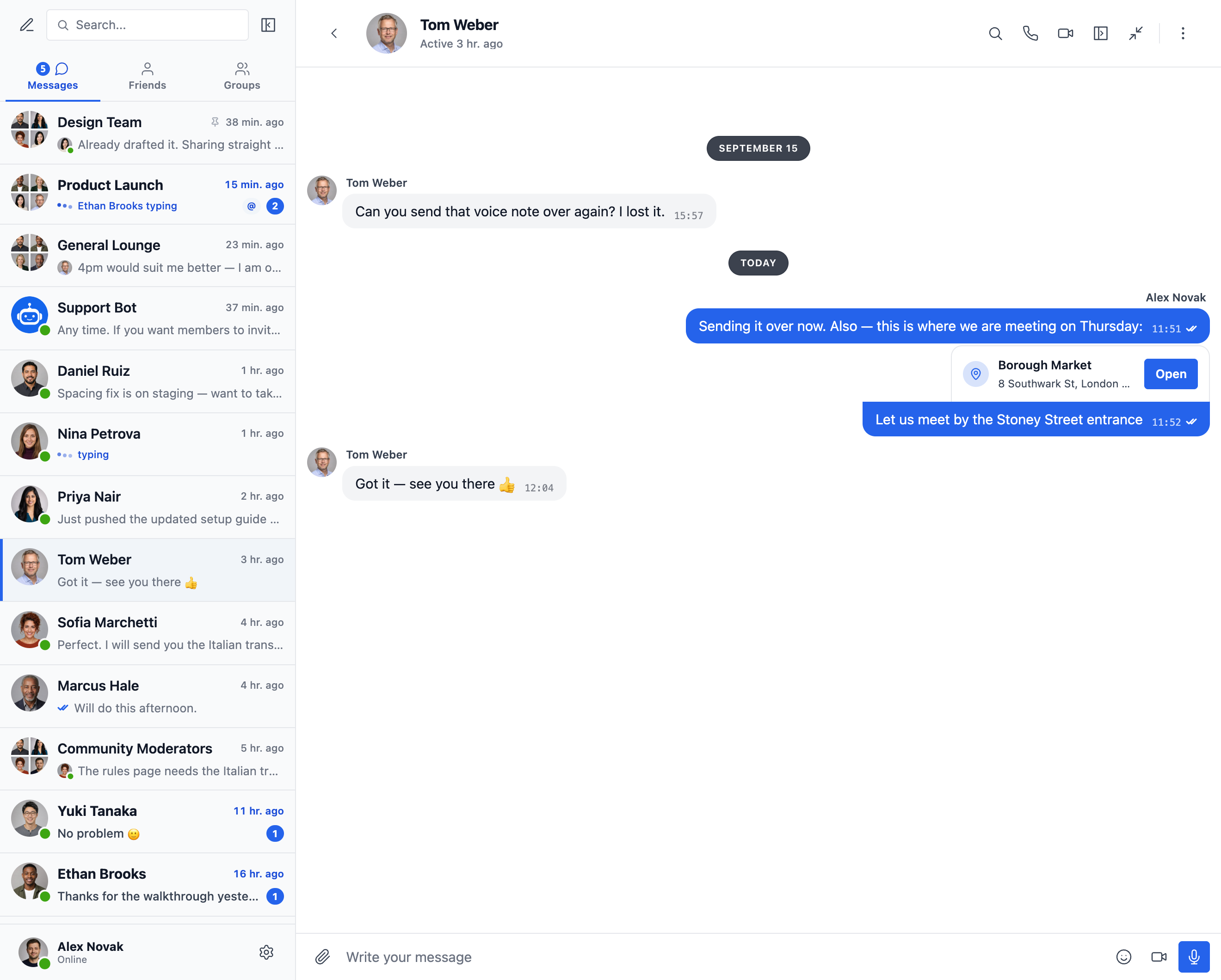
- Location messages with a map picker and nearby place suggestions
- Voice messages and video messages (available as addon)
- Embedded links with thumbnails and descriptions
- oEmbed support for YouTube, Vimeo, Spotify, SoundCloud, Flickr and 20+ services
- Emoji selector
- Built-in sticker packs with role-based access and per-locale support
- GIF integration with GIPHY and Klipy providers
- Inline sticker suggestions while typing
- Markdown text formatting support
Notifications:
- Email notifications for unread messages (customizable templates)
- Unsubscribe link support in emails
- Sound notifications for new messages
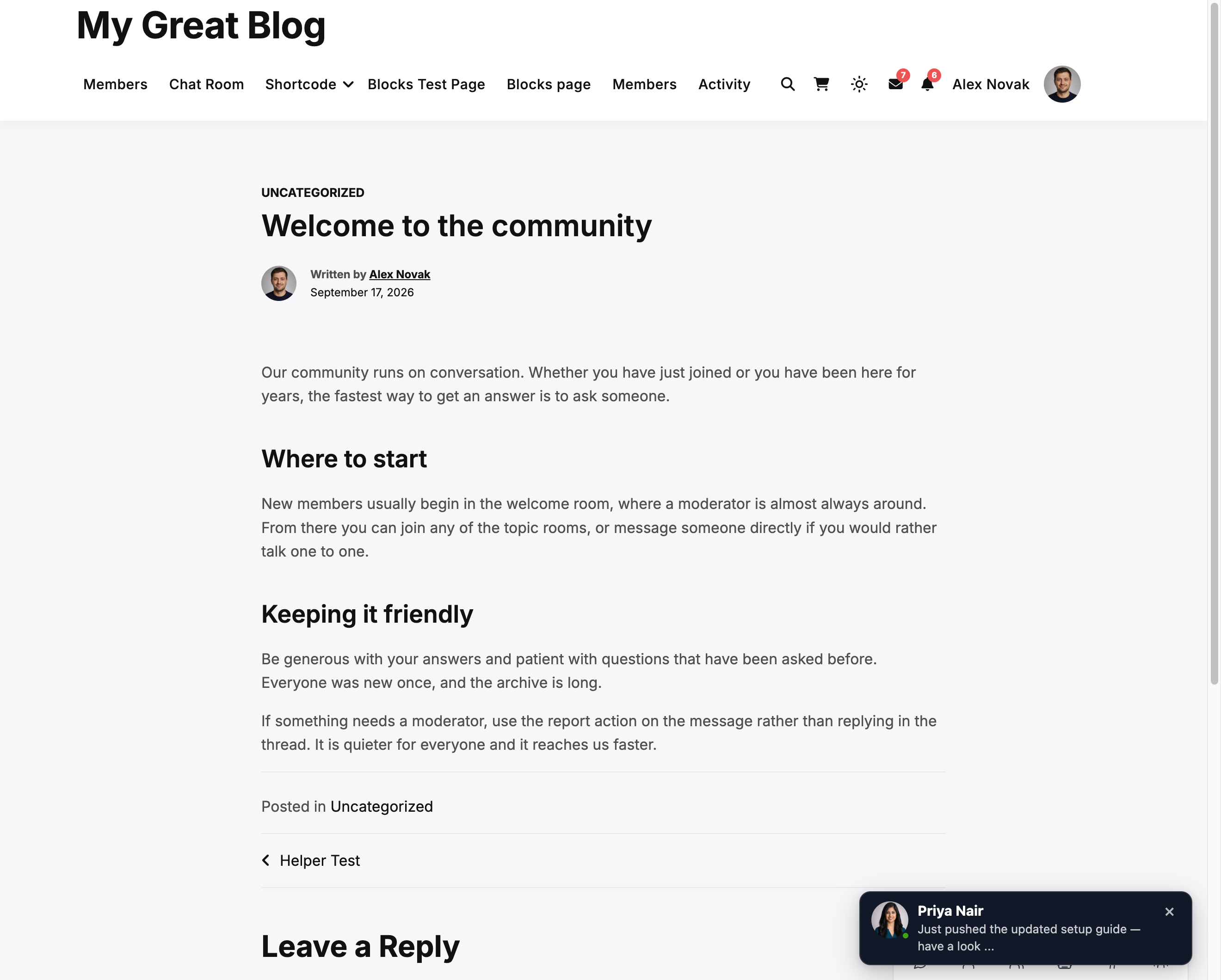
- On-site toast notifications anywhere on your website
Moderation & Security:
- AI Content Moderation with two providers:
- Better Messages Moderation AI — included with WebSocket license at no additional cost, no third-party API keys required. Powered by Better Messages Cloud with extended categories, custom rules, and conversation context awareness
- OpenAI Moderation API — free to use, requires an OpenAI API key
- Custom moderation rules — define your own rules in plain text
- Conversation context awareness — detect patterns split across multiple messages
- Choose between “Flag Only” (recommended) or “Hold for Review” moderation actions
- Pre-Moderated Messages – review messages before delivery
- Report messages feature
- Bad words filter with customizable blacklist
- Block user feature
- Role-based access control
- User whitelist/blacklist for moderation
Engagement Features:
- Reactions to messages
- Mentions (@username)
- Mass messaging from WP Admin with scheduling, file attachments, and background processing
- Suggested conversations for new users
- Embed conversation entry points anywhere on your site without using shortcodes
- Five widgets: Friends, Groups, Users, AI Bots, Chat Rooms
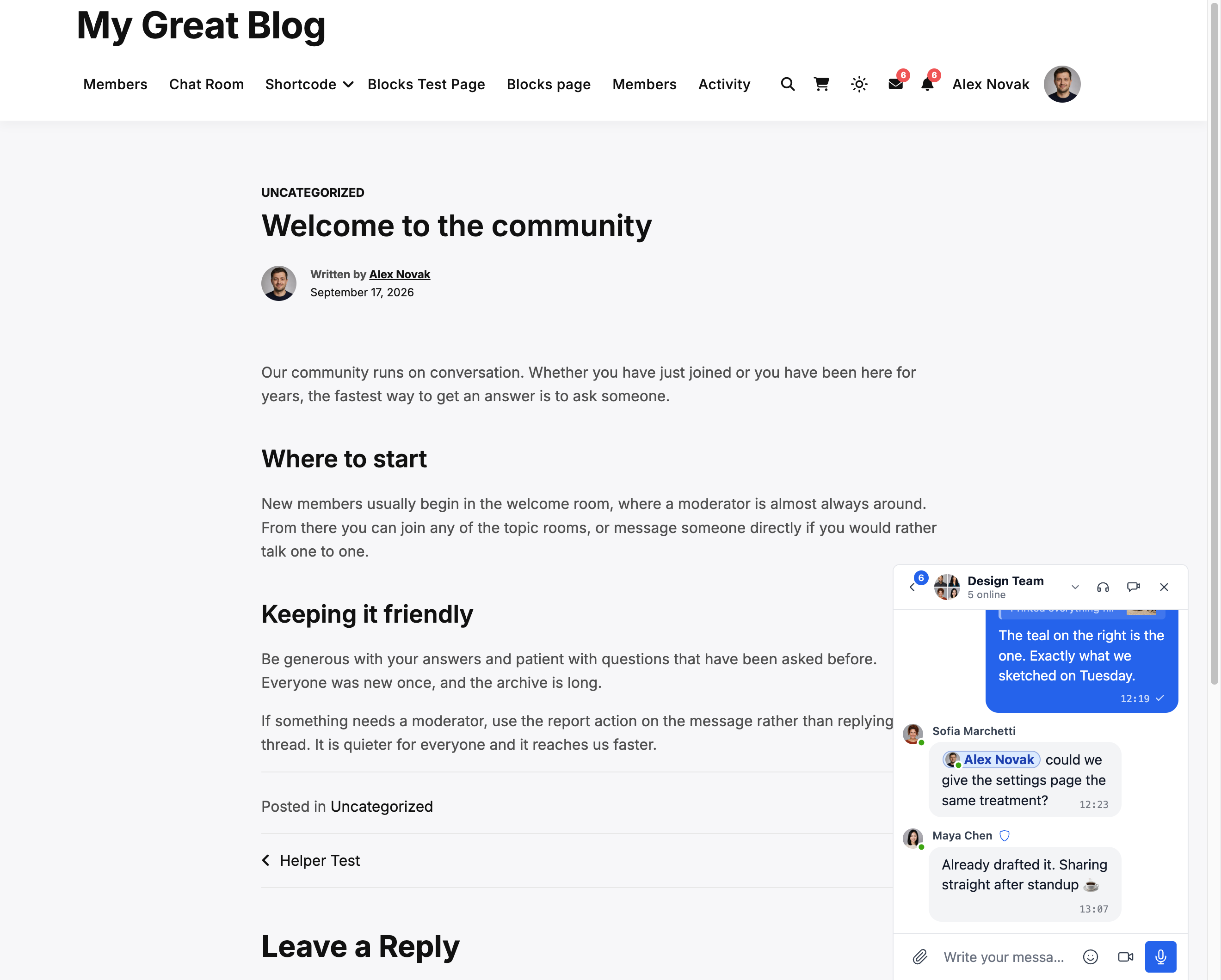
- Two display styles: Classic Bar or Floating Bubble (with chat heads)
- Three placement surfaces: bottom bar, side panel, mobile tab bar
- Per-widget icon picker, search box, role restrictions, and “Hide Tab When Empty” toggle
- Users widget with three display modes (all / by role / hand-picked) and sorting by last activity or registration date
- Customizable order of tabs in mini widgets, side panel and mobile view
Customization:
- Modern, fully customizable design
- Appearance tab — repaint every part of the messenger, reshape its corners and spacing and tune dark mode, with a live preview
- Custom notification sounds
- RTL layout support
- White label solution
- Fully translatable
- Auto-delete old messages option
Privacy & GDPR:
- Dedicated Privacy & GDPR settings page
- All message data stored on your own server
- AI moderation (when enabled) sends message content for analysis — Better Messages Cloud does not store any data, review OpenAI’s data policy if using OpenAI provider
- WordPress personal data export and erasure support (Tools Export/Erase Personal Data)
- Suggested privacy policy text that adapts based on enabled features
- Self-hosted emoji images option — no external CDN requests
- Privacy-friendly video embeds — YouTube, Vimeo load only after user clicks
- No cookies set, no analytics or tracking scripts
- Privacy & GDPR documentation
This is not a complete list of features – Better Messages has many more small features and options that are not listed here. We are constantly adding new features and improvements based on user feedback.
Compatible plugins & themes — 35+ native integrations:
Better Messages works on any WordPress site out of the box. If your site already runs a community plugin, an LMS, a marketplace, or a directory, Better Messages plugs into it directly — inheriting members, profiles, groups, courses, listings, and posts so chat surfaces appear in the right places without setup.
Community & Membership Platforms — replaces the built-in messenger and inherits members, profiles, friends, and groups:
- BuddyPress
- BuddyBoss Platform — including BuddyBoss Theme and ReadyLaunch
- PeepSo
- Ultimate Member
- FluentCommunity — including Spaces and Courses
- SureDash
- ProfileGrid
- UsersWP
- WP User Manager
Learning Management Systems (LMS) — course chat rooms, instructor messaging, and student-to-student conversations:
- LearnDash — including Instructor Role add-on
- LearnPress
- Tutor LMS
- MasterStudy LMS
- FluentCommunity Courses
E-commerce — WooCommerce — pre-sales and order support chat for online stores:
- WooCommerce — Contact buttons on product, cart, checkout, and order pages. Cart contents are auto-posted into the conversation as a rich message so your support agent immediately sees what the customer is looking at, order pages post a structured order context card. Plain product URLs pasted into any chat are expanded into rich product cards. Embedded inbox lives inside WooCommerce My Account. HPOS-compatible, block-theme-compatible, works with guest checkout. Available on both the free and WebSocket versions — the WebSocket version opens chats as a popup mini-widget overlay instead of navigating away.
Marketplaces & Multi-Vendor — buyer-to-vendor chat on top of WooCommerce, with per-vendor opt-in and contact buttons on vendor stores, product pages, and order details:
Listings, Directories & Classifieds — contact buttons on every listing, with per-listing threads:
- HivePress
- Directorist
- GeoDirectory
- Classified Listing
- Motors – Car Dealer, Classifieds & Listing
- WP Job Manager
Real Estate Themes — agent and inquiry messaging on property listings:
Forums — Private Message link on every reply:
- wpForo
- bbPress
Gamification, Points & Paid Access — charge per message or call with per-role pricing and balance display:
Automation & Page Builders:
- Uncanny Automator — triggers and actions for chat events
- AutomatorWP — triggers and actions for chat events
- Crocoblock JetEngine Profile Builder — profile and chat shortcodes for JetEngine listings
Push & PWA:
- FluentNotify — web push through your own Firebase project
- OneSignal — web push notifications
- Progressify PWA — install-to-home-screen prompts on the messenger
Universal Shortcode Builder — add chat to anything else:
Don’t see your plugin or theme in the list? Better Messages ships a visual Shortcode Builder at WP Admin Better Messages Shortcodes that lets you drop a Live Chat Button onto any custom post type, directory, marketplace listing, agent profile, or page builder block — without writing PHP. Point it at a sample post, choose how the target user is resolved (post author, postmeta-stored user ID, or a fixed inbox), set a thread strategy and label, and copy the generated shortcode. The same shortcode then works for every post of the same shape, with automatic per-post threading and an optional in-chat banner. Paste it into Gutenberg, Elementor, Bricks, Divi, or directly into a theme template.
Feel free to report any incompatibility or request more integrations — that is very important and helps improve Better Messages!
WebSocket version:
WebSocket version is a paid option, you can get license key on our website.
We use our dedicated servers to implement WebSocket communications between your site and users. Our servers are completely private and do not store or track any private data — all messages remain in your database.
Performance & Reliability:
- Significantly reduces the load on your server (up to 200x fewer requests)
- Instant message delivery in realtime
- Works with any hosting including shared hosting
- No limits on concurrent connections or monthly active users
Video & Audio Calls:
- HD Video Calls (1-to-1)
- HD Audio Calls (1-to-1)
- Group Video Chats (up to 32 participants)
- Group Audio Chats (up to 50 participants)
- Screen Sharing in calls and group chats
Mobile Apps (Alpha):
- iOS Mobile App (build your own branded app) – Alpha
- Android Mobile App (build your own branded app) – Alpha
- Push notifications for calls and messages
- VoIP notifications for incoming calls
Note: Mobile apps are currently in alpha stage. Core functionality works, but some features may be limited or under development.
Realtime Features:
- Messages Delivery Status (sent, delivered, seen)
- Typing, voice recording and file uploading activity indicators
- Online/Offline presence indicator
- User statuses (Online, Away, Do Not Disturb)
- Mini Chats – chat windows anywhere on your site
- Mini Conversations widget – list and continue recent threads from any page
- Online-only filter and online-first ordering for the Users mini widget
Better Messages Cloud AI:
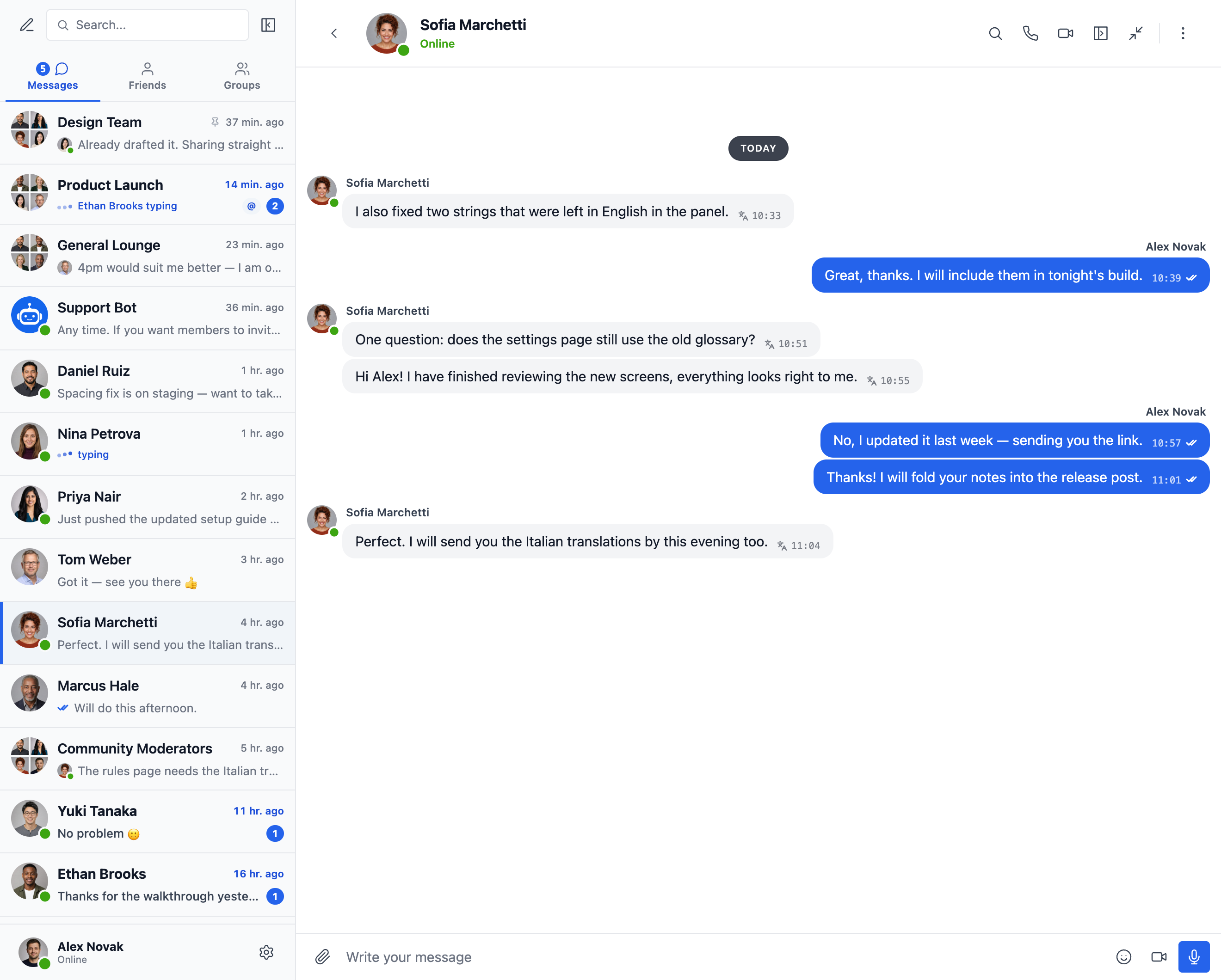
- Automatic message translation in 1-to-1 conversations — 53 languages, auto-detection
- AI Content Moderation — 23 categories, custom rules, conversation context awareness
- Voice message transcription — 99+ languages with auto-detection
- No third-party API keys required — included with WebSocket license at no additional cost
Security & Encryption:
- Optional End-to-End Encryption (E2EE) — can be enabled at the website level and per conversation, messages and files encrypted in users’ browsers with AES-256-GCM, server never sees plaintext
- Local browser encryption (AES256) for offline message storage
- Web Push Notifications (works even when the browser is closed)
- All data encrypted in transit, so we can’t read it on our servers
Support:
- Priority email support
- Regular updates and new features
Why WebSockets are a game-changer?
Get WebSocket version license key | Terms of Use
RTL layout is built into the plugin.
You can translate plugin to your language with LocoTranslate or participate in plugin translation.
Screenshots
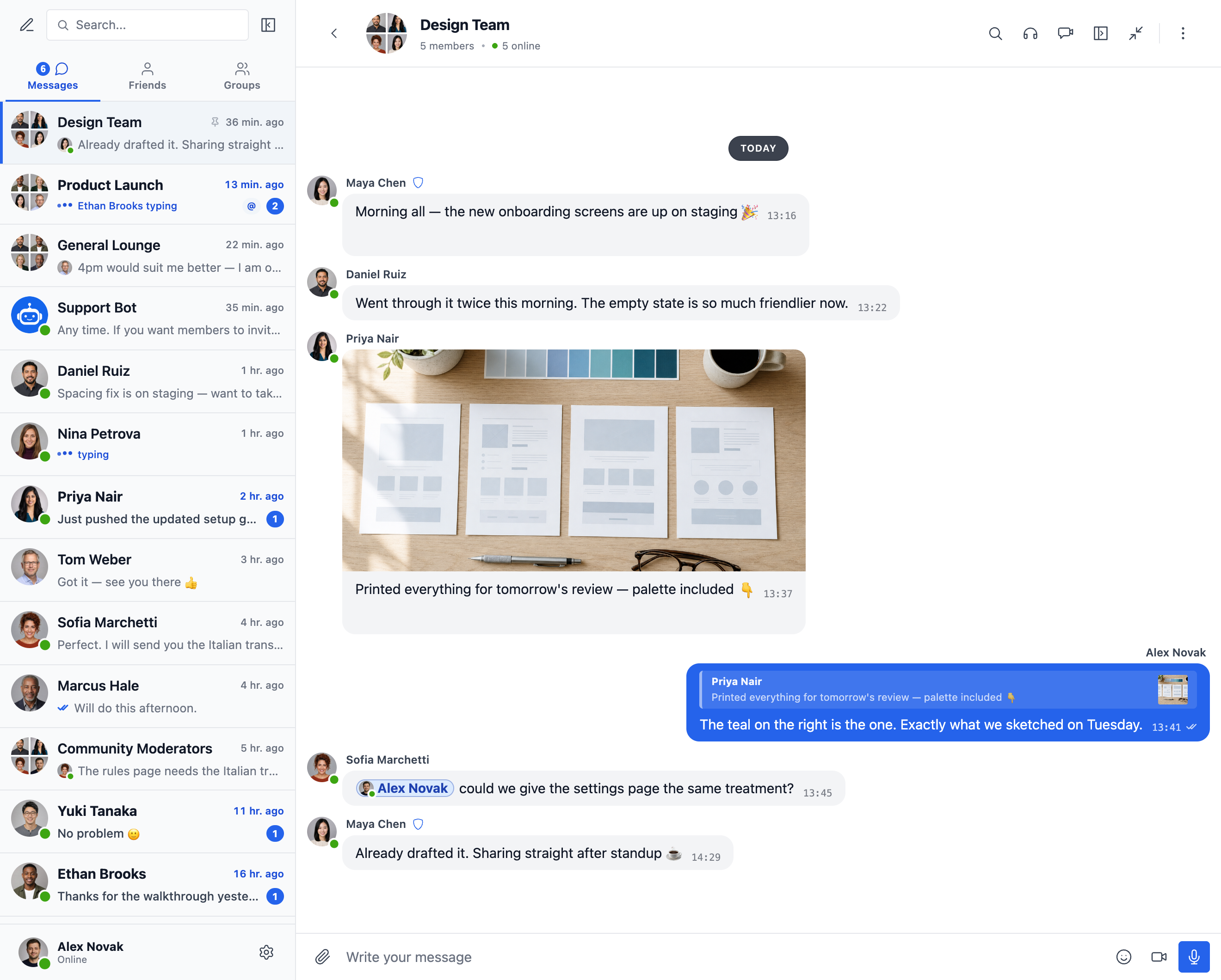
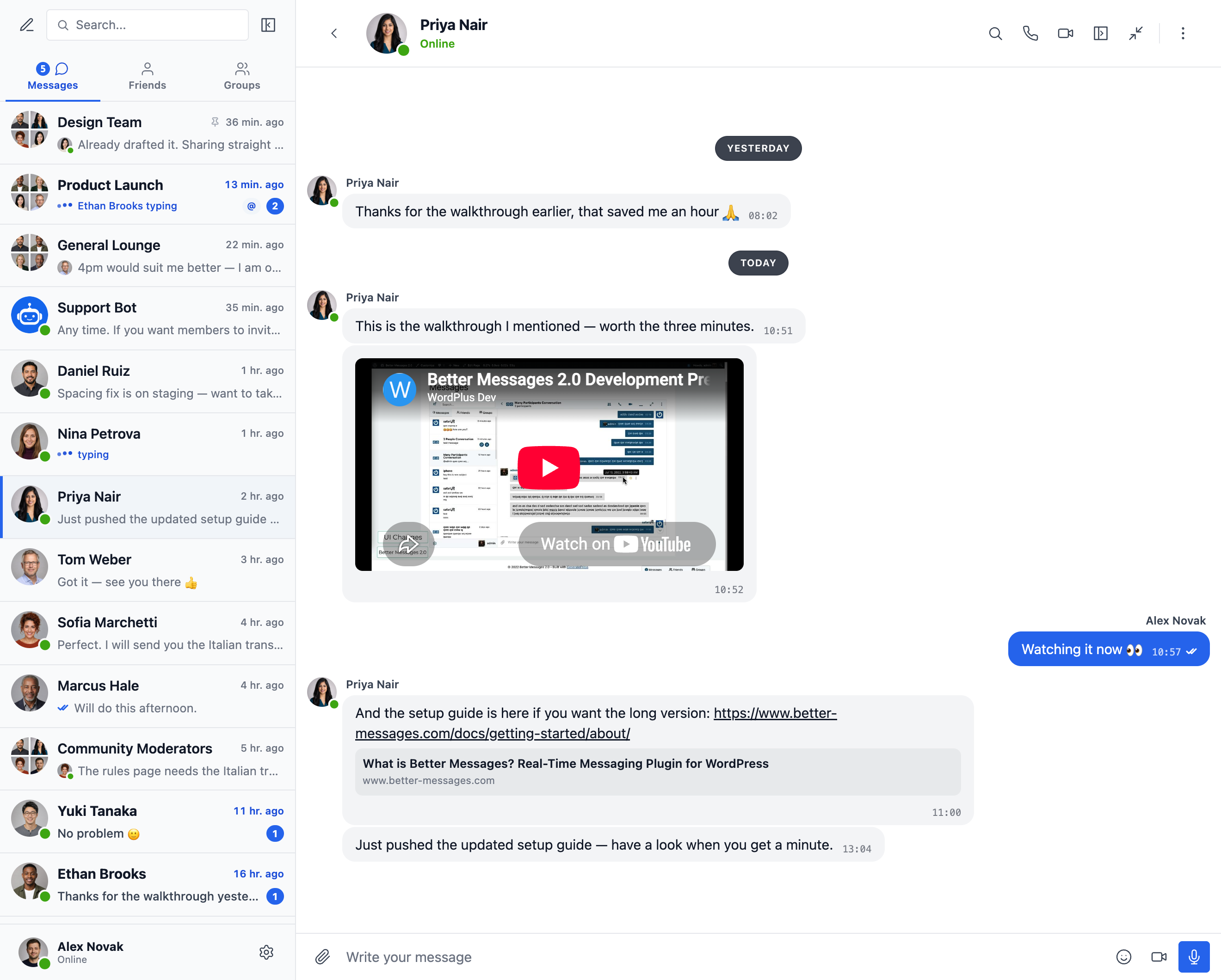
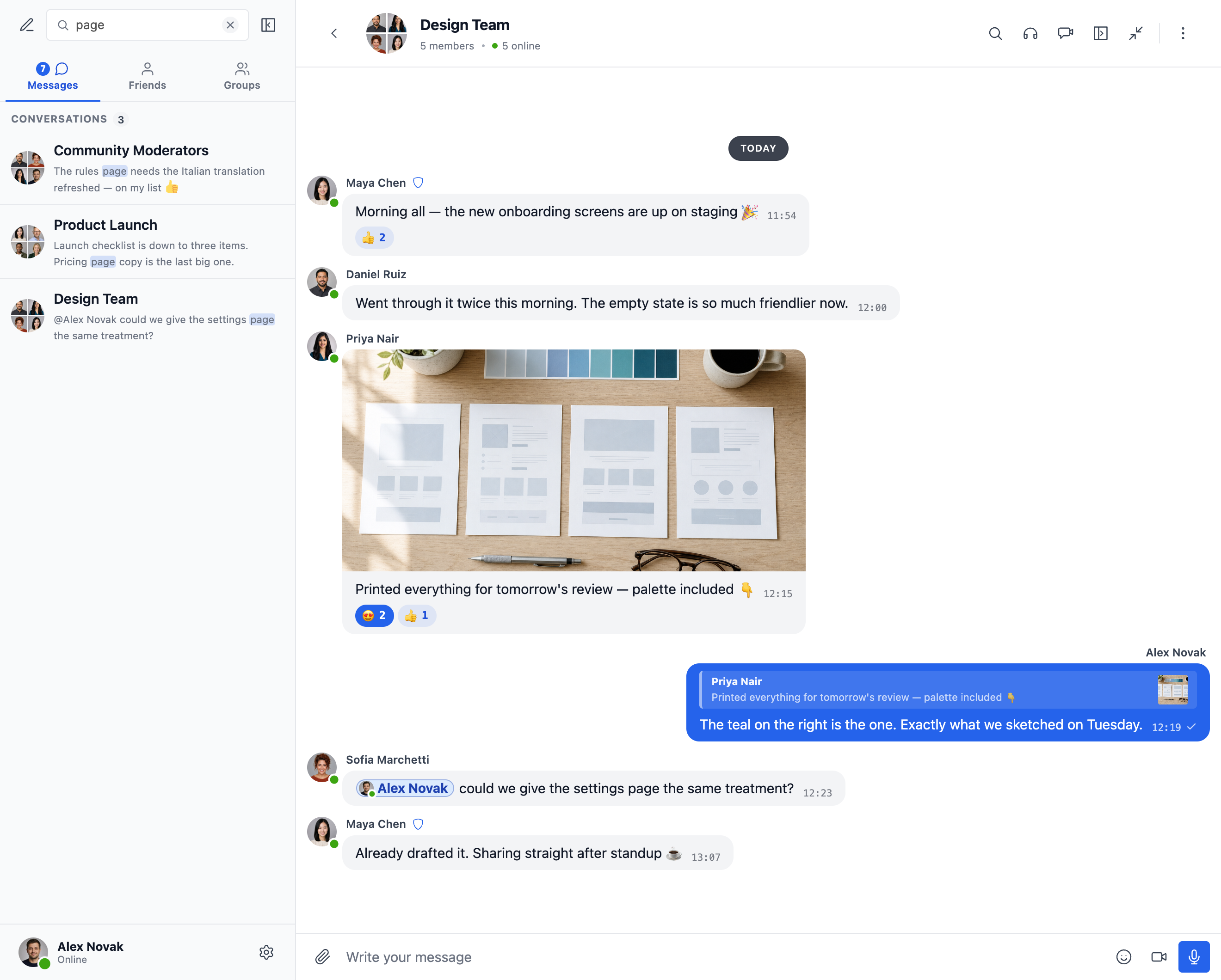
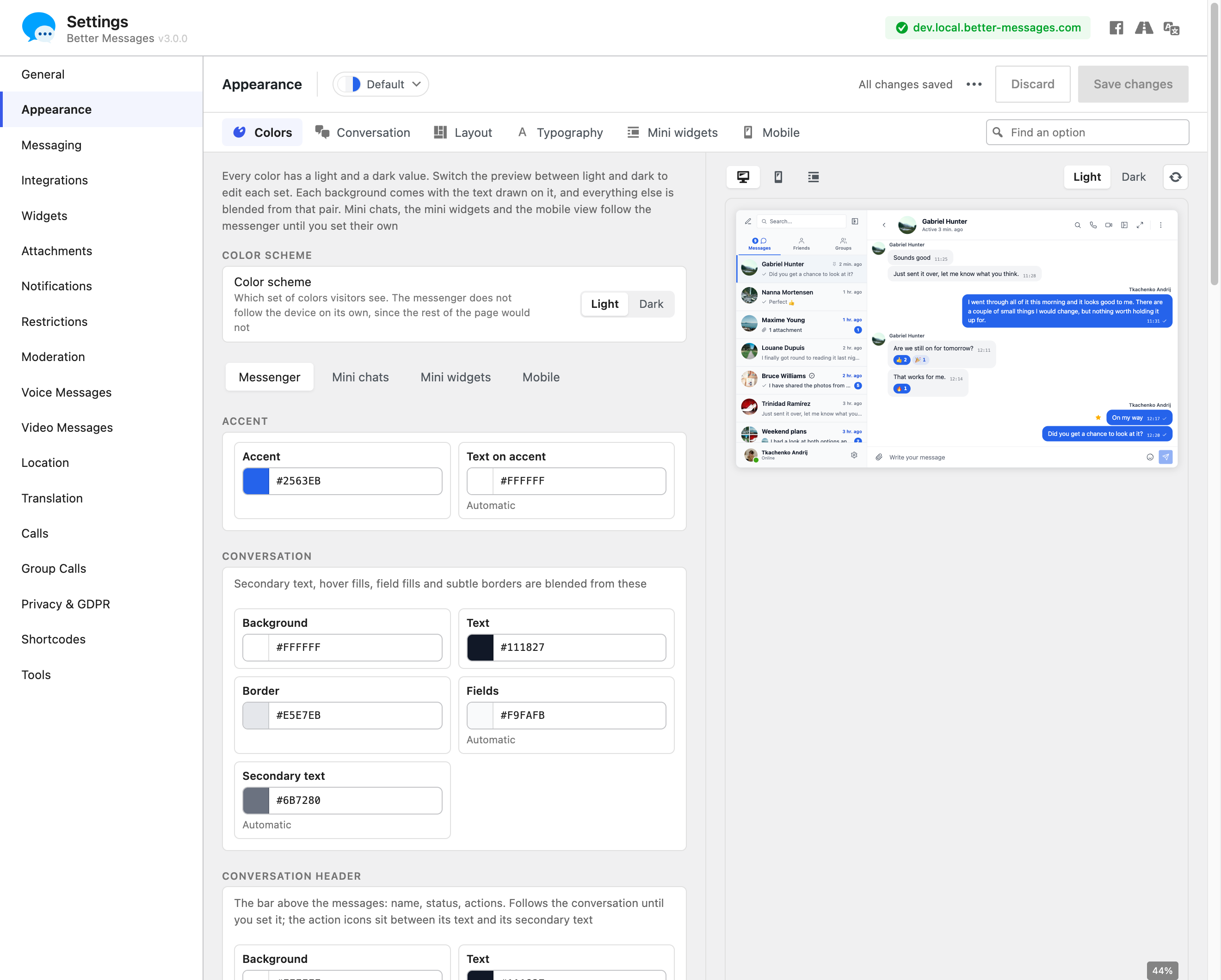
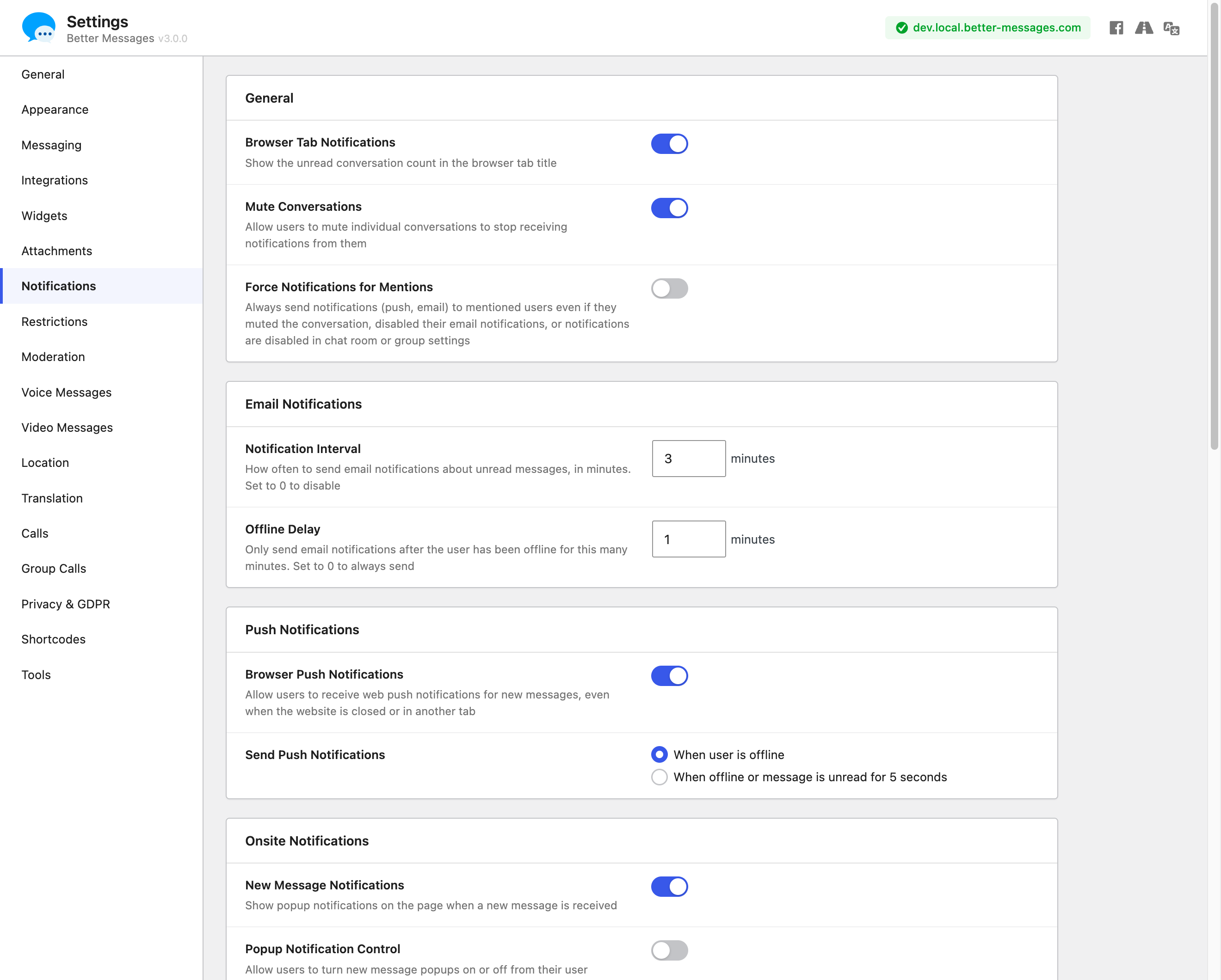
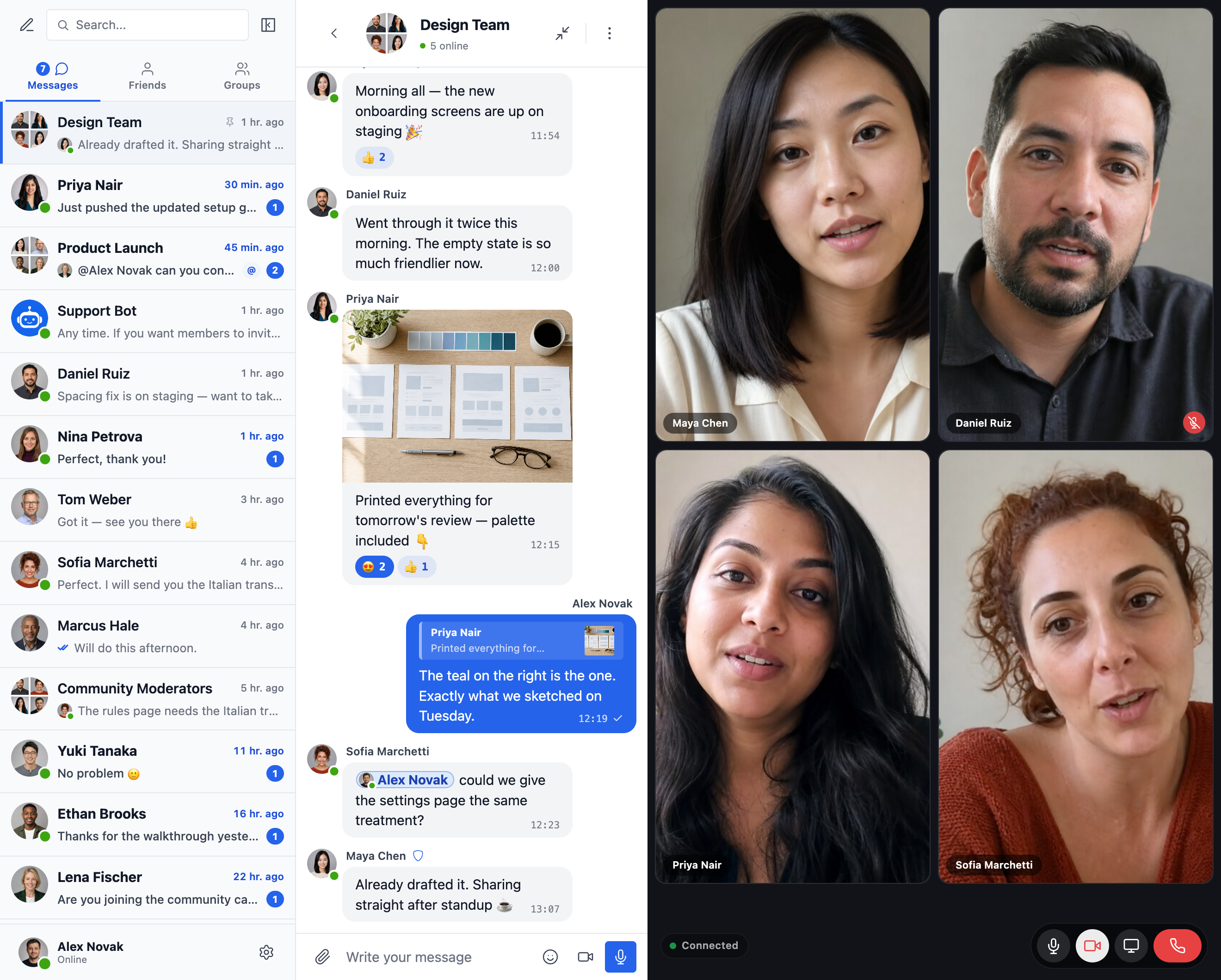
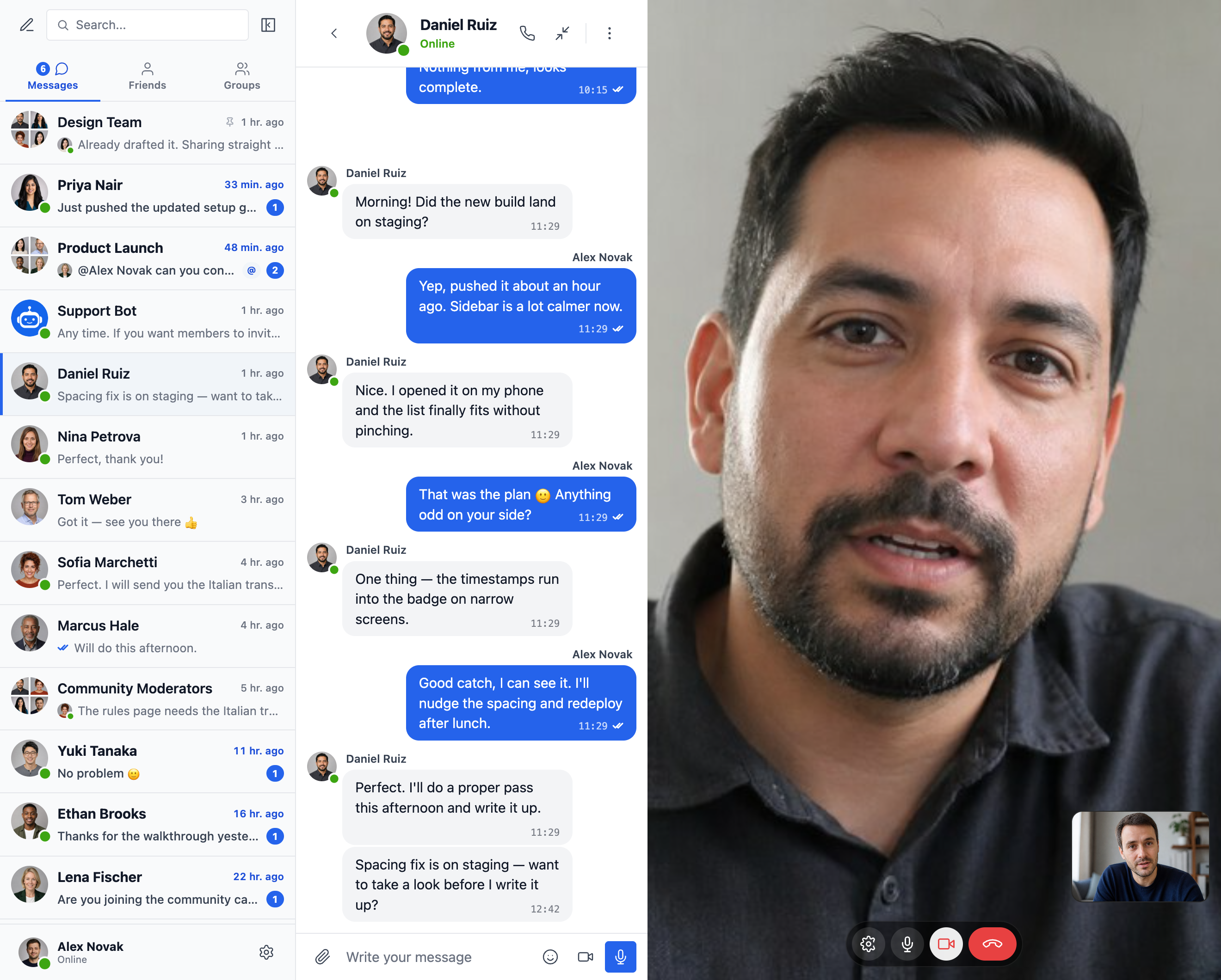
Blocks
This plugin provides 2 blocks.
- Messages The user's messages, where they can open any conversation they are part of
- Chat Room Embed a Better Messages chat room
Installation
- Upload the plugin files to the
/wp-content/plugins/bp-better-messagesdirectory, or install the plugin through the WordPress plugins screen directly. - Activate the plugin through the ‘Plugins’ screen in WordPress
- Use the Settings -> Better Messages to configure the plugin
FAQ
-
Is Better Messages free?
-
Yes — install the free version from WordPress.org. It supports private and group conversations, chat rooms, file sharing, oEmbed previews, smart-batched email notifications, role-based access, guest chat, and the standard messenger feature set. The WebSocket version is paid and unlocks instant delivery, one-on-one and group voice / video calls, AI Chat Bots, AI Content Moderation, AI Message Translation, Voice Message Transcription, web push, and end-to-end encryption.
-
Which WordPress plugins does Better Messages integrate with?
-
35+ native integrations across community platforms (BuddyPress, BuddyBoss Platform, PeepSo, Ultimate Member, FluentCommunity, SureDash, ProfileGrid, UsersWP, WP User Manager), LMS (LearnDash, LearnPress, Tutor LMS, MasterStudy LMS), e-commerce (WooCommerce — pre-sales and order support chat with contact buttons on product, cart, checkout, and order pages), multi-vendor marketplaces (Dokan, WCFM, WC Vendors, MultiVendorX), listings and directories (HivePress, Directorist, GeoDirectory, Classified Listing, Motors, WP Job Manager), real estate themes (Houzez, RealHomes), forums (wpForo, bbPress), gamification (GamiPress, MyCRED), automation (Uncanny Automator, AutomatorWP), page builders (Crocoblock JetEngine), and push / PWA (OneSignal, Progressify). If your plugin isn’t listed, the built-in visual Shortcode Builder lets you add a Live Chat Button to any custom post type without writing PHP. See the full list of integrations.
-
Does it support group conversations?
-
Yes — first-class group chats with shared history, mentions, reactions, file uploads, replies, edit / delete / forward, and group voice / video calls (WebSocket version). Group chats can be auto-paired with BuddyPress / BuddyBoss / PeepSo / Ultimate Member / FluentCommunity groups, with members joining and leaving the chat in sync with the source community group.
-
Can unregistered visitors (guests) chat?
-
Yes — Guest Chat lets unregistered visitors join chat rooms, message vendors on marketplaces, ask questions on directory listings, or chat with site support. Guests enter a display name (and optionally an email), then participate as a guest user. Their thread history is preserved if they later register.
-
Does it support voice and video calls on WordPress?
-
Yes (WebSocket version) — one-on-one and group voice / video calls live inside the messenger thread, not as a separate Zoom / Whereby integration. Hosted media relay is included with the WebSocket license, no separate Twilio account, no Daily / Whereby subscription, no Zoom developer plan. Calls are full-screen on mobile and picture-in-picture on desktop.
-
Is Better Messages GDPR-compatible?
-
Yes. All message data is stored only in your WordPress database. The WebSocket cloud relay is blind to message content — it routes encrypted events but does not read, store, or inspect what passes through. Better Messages also integrates with WordPress’s built-in Personal Data Export and Erasure tools. For sites with stricter data-sovereignty requirements (GDPR Article 9, HIPAA-adjacent, regulated-data workloads), a self-hosted plan is available — contact support.
-
Does it have AI features?
-
Yes (WebSocket version, AI add-on). AI Chat Bots (OpenAI, Anthropic Claude, Google Gemini) act as full participants in any thread, with custom system prompts and per-bot points charging via GamiPress / MyCRED. Better Messages Cloud AI provides AI Content Moderation (23+ categories including spam, scam, doxxing, contact sharing), AI Message Translation (53 languages with auto-detection), and Voice Message Transcription (99+ languages) — all included with the WebSocket license, no third-party API key required.
-
Does it have native iOS and Android apps?
-
Yes — Better Messages ships native iOS and Android mobile apps built on Capacitor, with push notifications, real-time delivery, voice / video calls, and full messenger feature parity with the web. White-label rebuild is available for sites that want their own branded app on the App Store / Play Store under their own developer accounts.
-
Can I translate the messenger interface to my language?
-
Yes — Better Messages is fully translatable through standard WordPress translation tools (Loco Translate, WPML, Polylang) using the
bp-better-messagestext domain. Ships with 30+ community translations. Contribute or improve a translation at translate.wordpress.org. -
Does it support end-to-end encryption?
-
Yes (WebSocket version). End-to-end encryption is enabled per thread — messages and file attachments are encrypted in the sender’s browser with AES-256-GCM before transmission, stay encrypted at rest in the database, and decrypt only in the recipient’s browser. The server stores ciphertext only, no admin, host engineer, or attacker with database access can read the message content of an E2E thread.
-
Where can I find detailed documentation?
-
The complete documentation, integration guides, REST API reference, hooks reference, video tutorials, and 80+ blog posts are at www.better-messages.com.
Reviews


Contributors & Developers
“Better Messages – Chat Rooms, Group Chat, Private Messages & AI Chat Bots” is open source software. The following people have contributed to this plugin.
Contributors
“Better Messages – Chat Rooms, Group Chat, Private Messages & AI Chat Bots” has been translated into 32 locales. Thank you to the translators for their contributions.
Interested in development?
Browse the code, check out the SVN repository, or subscribe to the development log by RSS.
Changelog
Important — please read before updating to 3.0
3.0 is a full redesign. Your conversations, settings and integrations carry across untouched — including the colors and sizes you set in the Customizer — but three things need your attention:
- Custom CSS needs rewriting: the messenger’s classes are now prefixed
bm-instead ofbpbm-andbp-messages- - Update the exclusion lists of any caching or optimisation plugin: the script and style files were renamed (
bp-messages*better-messages*,bpbm-worker.jsbm-worker.js) - The WordPress Customizer integration is gone — colors and sizes now live in the Appearance tab, and snippets calling
Better_Messages()->customizestop working
Noticed something wrong after updating to 3.0? Please tell us. A redesign this large can behave differently on a theme or plugin combination we have not seen. If anything looks broken, missing or out of place, email us at support@better-messages.com — or open a topic on the support forum if you are can not contact email for some reason — and we will get it fixed. Please do not leave it unreported, every report speeds up a fix for everyone.
Thank you to everyone who sent feedback and bug reports on the 3.0 release.
3.0.9
- The ⋯ button is back on every conversation in the list, as in 2.0, opening the same menu as a right click — it shows on hover on desktop and always on phones, with a switch for each in Appearance Layout and Appearance Mobile
- Fixed search results, on-site message notifications and the reply box’s quote showing a broken character (�) or part of an HTML code such as
&#where a long message was cut short - Fixed the search highlight landing one letter off the matched word in a message with a Turkish İ before it
- Fixed the conversation info panel listing no members in a course conversation, or in a private conversation an administrator opened without being in it
- A conversation among the search results has its menu again, as in 2.0 — a right click, a long press or its ⋯ pins, mutes or deletes it where it was found
- A conversation among the search results goes by its name in the conversations list again, as in 2.0, instead of by whoever wrote the matching message
- A conversation among the search results shows who wrote the match again, as in 2.0 — the writer’s picture in a group, and the delivery tick on your own message
- Fixed a reply or edit being written getting cancelled when the unread filter was switched on with its conversation open
- Mark all as read is offered whenever a conversation is unread, as in 2.0, not only while that conversation is among the ones the list has loaded
- The Users and Friends tabs mark the person of the open conversation again when the conversations list has not loaded it or the unread filter is on
- On a phone, a conversation the list has not loaded no longer empties before it slides away on Back
- Fixed a guest in Do not disturb still hearing the message sound and the ringtone
- Fixed a guest’s drafts and unsent messages being cleared on the next page load after the messenger reset its local database
- The forward dialog shows the badges a site adds to a member’s name, as the conversations list does and as 2.0 did
- An administrator reading someone else’s conversation sees it named by its subject, as in 2.0, instead of after one of the two people in it
- The favorites page shows 2.0’s star on every message again, and a click on it takes the message off the list
- A reaction shows a number only once two or more people have picked the same emoji, so reactions in a private conversation show just the emoji
- The tick of a seen message is the accent color inside a conversation again, as in the conversations list and in 2.0 — on bubbles painted in the accent it keeps the message’s text color
- The Appearance preview shows delivery ticks as delivered and seen, and a click on one opens who saw it instead of breaking the preview
- Choose the color of links in messages in Appearance Colors — for your own and other people’s messages on bubbles, and one for the Outlined and Classic designs
- Choose the outline color of your own and other people’s messages for the Outlined design in Appearance Colors, and each message color says what it still paints under Outlined and Classic
- Appearance opens on the Conversation tab, where the message design is chosen, ahead of Colors
- Fixed a blocked member’s messages offering no menu — they can be reported again, and deleted by a moderator
- Fixed an encrypted message this device cannot decrypt offering no menu — its sender can delete it, and it can be answered, pinned, starred or reported
- On a phone, a conversation picked from the header Messages dropdown of BuddyBoss, PeepSo or Ultimate Member opens over the page again, as in 2.0, instead of loading the messages page
- Fixed the BuddyBoss header’s Messages dropdown staying open after a conversation was picked from it
- On a phone, Private Message on a member or a message of a chat room embedded in a page opens over that page again, as in 2.0, instead of loading the messages page
- Fixed Private Message in the messenger taking a phone off the page when a chat room is embedded in it
- Fixed a person or conversation picked in the corner widget without mini chats opening the profile owner’s messages page on someone else’s BuddyPress profile, instead of your own
- On a phone, Back leaves the page at the first press again after the messenger was opened over it, as in 2.0
- Links carrying
openFullScreenopen the messages page maximized again - A message notification clicked on the messages page opens the conversation in that messenger instead of a mini chat over it, unless another conversation is open there
- Private Message on a participant or on a message can open the new conversation in a mini chat, so a chat room it was started from stays open — switch on Private messages from a conversation in Appearance Mini widgets
- Message buttons still carrying 2.0’s
bpbm-pm-buttonclass — copied into a page or kept in a page cache — work again - A mention in a message opens the profile in the same tab again, as in 2.0, and passes the click to the
better_messages_before_avatar_clickfilter first, as an avatar does - Fixed a long name in a mention spilling out of its pill in mini chats, or out of the message on a phone
- Fixed notifications covering the bottom menu of MasterStudy account pages narrower than 1280px
- FluentNotify shows its own card for a new message again where the messenger’s on-site notifications are turned off
- Fixed a swipe through a conversation on iPhone and iPad stopping dead and jumping back, in Safari and in apps that show the messenger in a web view
- Fixed the conversation scrolling to the bottom a second time a moment after sending a message, pulling you back down if you had scrolled up again
- Older messages load further ahead of the scroll, and on iPhone and iPad while a swipe is still moving, instead of stopping it at the top of what was loaded
- Loading older messages no longer redraws every message already in the conversation, which made long conversations stutter more the further back they were scrolled
- A conversation too short to scroll shows “Start of conversation” above its first message again, as in 2.0
- Fixed a new message flashing once before it fades in, in a conversation too short to scroll
- On a phone, the slide between the conversations list and a conversation no longer stutters while the conversation opens, and a swipe back no longer jumps as it starts to follow the finger
- In a web app installed to a phone’s home screen, the tab bar and the reply area stand clear of the bottom edge again, as in 2.0
- Fixed a gap between the tab bar and FluentCommunity’s bottom menu when the community is installed as an app on iPhone or iPad
- Fixed the messenger on iPhone and iPad staying stuck until Safari was restarted — phones and tablets now keep the local database in each tab’s own worker
- Fixed a “Database not opened” error, and a messenger that never finished loading, after another tab closed or reset the local database
- Fixed a new message, or another change made in one browser tab, sometimes not showing in the site’s other open tabs
- The messenger keeps working on a device that has run out of storage, and keeps its local copy on sites that serve plugin files from a CDN
- The conversation list and arriving messages show sooner, and a large local history no longer freezes the page while it loads, in the browser and in the apps
- Fixed conversations staying on the loading placeholder on a slow phone with a large local history
- Fixed a one-to-one conversation’s header showing your own name after the site’s data was cleared in the browser with the messenger open
- Fixed a message that arrived while another tab was loading its local copy, or while encrypted conversations were being read, not showing until the conversation changed again
- Fixed a message on a site without WebSocket sometimes never reaching the other person when it took a few seconds to send, or went out once the connection was back
- Fixed older end-to-end encrypted messages reading as undecryptable until a reload, after the encryption module once failed to load
- With end-to-end encryption on, closing a tab in a chat room that shows who is present leaves the room while other tabs stay open
- A call pressed before the messenger has connected opens at once, says it is connecting and goes out once connected, as in 2.0, instead of doing nothing or saying the connection is not established
- The Android app says when full-screen notifications are off, which keeps incoming calls off a locked screen, and opens the setting that allows them — at start, after a call missed that way and in its Settings (rebuild the app to get it)
- A deleted message disappears as soon as the delete is confirmed — or shows “This message was deleted” where the site replaces deleted messages — and comes back if the delete fails
- Fixed the loading placeholder showing instead of an empty conversation when its only message was deleted while the conversation was still loading
- Fixed pictures not filling their frame on some themes, which left an empty band below a wide picture — in messages, reply quotes, the reply box and the info panel’s photos
- Fixed the AI moderation, pre-moderation, voice transcription and translation switches getting stuck on after the OpenAI API key, license or Messages Viewer they need was gone
- Fixed a link to a chat room landing on the Messages tab when the conversations list is collapsed, and collapsing the list switching it back to Messages
3.0.7 – 3.0.8
- Text pasted into the reply box keeps its bold, italics, underline and strikethrough, whether it was copied from a message or from another page — fonts, colours and everything else stay behind
- Fixed quotes, ampersands and angle brackets showing as HTML codes in the mobile app’s message notifications and the conversation title above them
- Fixed the messenger’s loading placeholder jumping on phones and in narrow page columns — it now shows the same single-column layout the messenger opens in
- Fixed an iPhone placing or answering a video call in Chrome still showing its own picture at half its width in a black frame
- Fixed the reply box losing its focus and cursor about a second after a new conversation was opened from a link, which closed the keyboard on a phone
- Fixed an emoji from a phone’s keyboard or a paste appearing in the reply box as WordPress’s emoji image, with the cursor jumped in front of it and the emoji missing from the sent message
- Fixed presence-based chat rooms offering Pin to top, which pinned nothing because those rooms never appear in the conversations list
- Fixed the conversation going blank for a moment between the loading placeholder and a conversation opened from a link
- Fixed a message sent just as the reply box saved its draft coming back into the reply box after sending, and staying there as the conversation’s draft
- Fixed text typed just before reloading the page or closing the tab missing from the conversation’s draft
- Fixed a long press on a conversation in the list selecting the list’s text on a phone instead of opening the conversation’s menu, and no list of conversations, people, groups or chat rooms selects its text on a long press or a mouse drag any more
- Fixed a long message filling the search results and the favourites list with its whole text — a search result now shows the words around the match on two lines
- Fixed the text of a message not being selectable with a mouse on a Windows 2-in-1 or tablet the browser treats as a touch screen — a long press with a finger still opens the message menu
- Fixed Copy message text losing the message’s line breaks and formatting — a copied message pastes back into a conversation as it was written, and into other editors with its bold, italics and links
- Members keep their end-to-end encryption keys in the browser while encryption is switched off, so switching it back on no longer asks them for their backup password
- Audio Call and Video Call are offered for guests too in the users list, search results, a chat room’s online users and a conversation’s participants, as they already were inside a conversation with a guest
- Fixed the Minimize button still appearing on the BuddyBoss Messages page with Hide Mini Widget on Messages Page turned on, where pressing it sent the conversation into a mini chat that setting had already hidden
- Phones and mini chats can show every button beside a message, the ⋯ menu alone or none, at Appearance Mobile Buttons beside a message and Appearance Mini widgets Mini chat windows Buttons beside a message, which take the place of Tap a message to show its actions and Message actions in mini chats
- Messages on a phone and in a mini chat take all the width their buttons leave, in every message design, instead of stopping at the Maximum bubble width
- A favorited message shows its star beside the time where the buttons beside it carry none
- Fixed turning Tap a message to show its actions off in 3.0.6 also taking reactions away on a phone — a tap brings up the reactions picker whatever the buttons beside a message are set to
- No bubbles is now Classic, laid out as 2.0’s Standard template was: every message on one side, its buttons and time on its first line and no room kept beside it, with Message side applying to the bubble designs only
- Fixed Pointing tail toward the avatar moving the sender name away from the avatar along with the bubble
- Reactions are now at the top of the message menu as well, which is what makes them reachable on a picture at last — long press the image, or open the same menu from the image viewer’s own button
- Fixed the reactions picker sliding away the moment a reaction was picked, which put a different emoji under a cursor that had not moved
- Fixed the message menu sliding in from the side of the screen on a phone instead of opening where the message was pressed
- Fixed Escape closing the image viewer together with the message menu opened over it
- A sticker, a GIF or a picture carrying reactions now shows its time on the same row as the pills, the way a message with text already did, instead of spending a line on each
- Fixed a landscape GIF or sticker leaving its bubble wider than the picture, with the time and ticks beside it instead of on it
- Fixed the messenger being pushed sideways and squeezed into a narrow strip by a theme’s floated element, most visibly on a BuddyPress group’s Messages tab on a phone
- Fixed the messenger, and the page around it, being stretched to the width of the longest conversation preview on a theme that sizes its layout from its own content
- Fixed a theme’s text color taking over the messenger’s search and picker fields, which could leave their text unreadable on a dark palette
- Fixed opening the conversation menu during a call taking the conversation off screen and closing the menu again, with the call stretched across the whole messenger in its place
- Fixed the call controls drawing, and taking clicks, over the conversation information panel opened beside a call
- Fixed a GIF or sticker being cut off at the edge of the conversation a call squeezes, instead of shrinking to the room it has
- The conversation beside a call can be made wider or narrower, at Appearance Layout During a call, where its width had always been fixed at 350px
- The other messages’ text color at Appearance Colors now says when the selected message design does not paint it, instead of looking live while changing nothing
- Fixed pinning or muting a conversation, changing your status, opening a sticker pack and following a refused Private Message link reporting “AxiosError: Request failed with status code 403” or “[object Object]” in place of the reason the site gave
- Fixed a connection that drops raising “Network Error” notices over the messenger, most visible on a phone, where a suspended tab or a move from Wi-Fi to cellular could put several of them on screen at once
- A firewall or CORS rule that keeps the messenger from reaching the site now says so in one readable notice, where it used to show “Network Error”
- An action that could not reach the site, such as pinning, muting, a reaction or a setting, now says so in one readable notice instead of “Network Error”
- Notification cards now step around open mini chats, the mini chats bar and the phone’s chat button instead of covering them
- A new message no longer raises a notification card while its conversation can already be seen, open or in view in a conversations list — one pushed below the pinned conversations, or behind another tab of the mini widget, still raises it
- Fixed a setting that the site would not save saying nothing at all, on the messenger’s own settings screen
- Fixed Private Message taking you off the page instead of opening a mini chat, in the participants and online users lists of a conversation embedded on a page and in a mini chat’s own message menu
- Fixed typing @ in a presence-based chat room offering only the people who had already written there, which left somebody sitting in the room who has never spoken impossible to mention
- Fixed the name search behind @ finding nobody in a conversation holding more participants than the messenger had loaded
- Fixed the list of names that opens on @ landing far from the message field on a phone once the on-screen keyboard was up, and not appearing at all where the messenger had taken the whole screen
- Typing @ searches a whole name again, spaces included, where the list had been closing at the first space and leaving a member findable only by the word their name starts with
- Fixed the list of names that opens on @ appearing behind the mobile app’s own screen, where Enter then picked a name nobody could see
- Fixed a group conversation viewed before anyone had written in it never granting moderator rights to the first person who then sent a message
- Fixed an error while preparing a conversation update for one participant leaving the rest of that request acting as that participant
- Fixed the “New messages” line disappearing a moment after opening a conversation from another one, and landing above messages already read when a conversation is opened again
- Fixed the message field sometimes opening partly under the on-screen keyboard on an iPhone, where only closing the keyboard and tapping again brought it into view
- Fixed a conversation left showing loading placeholders instead of its empty state once its last message was deleted or it was cleared, which on a WebSocket site lasted until the page was reloaded
- Fixed the bubble-style mini widget’s conversation panel closing while its emoji picker, formatting bar or image viewer was in use
- Fixed end-to-end encryption keys being lost when the messenger rebuilt its local data right after the page loaded, which left the member restoring them with their backup password
- Fixed chat room moderators no longer being offered Delete on other members’ messages
- Fixed chat room moderators being shown the group call settings of a room, which only a site moderator can change
- Fixed Private Message missing from the message menu in a course conversation between two people
- Fixed Kick participant being offered in a group’s chat, whose members come from the group itself
- One-to-one calls now move to the room only when they cannot connect directly or through the relay server at all, so a brief network change, such as a phone switching from Wi-Fi to mobile data, keeps a call on its direct connection
- One-to-one calls can now last as long as needed — a long call no longer ends when its connection has to move to the room, and a call carried by the relay server no longer drops after six hours
- Fixed a one-to-one call that had moved to the room ending by itself a minute after a brief loss of the realtime connection
- Fixed the caller waiting on “Connecting” for good when the other side answered but could not join, where the call now ends with “The other side could not join the call”
- Fixed the caller of a call that starts in the room waiting on “Connecting” for good when the other side accepted and never arrived, where the call now ends after a minute
- Fixed a one-to-one call sometimes not recovering after its connection dropped for more than a few seconds
- Fixed a phone’s camera no longer reaching the other side of a one-to-one video call after the browser had spent more than a few seconds in the background
- Fixed the camera or microphone staying on after a call when it had been turned on while the call was still ringing
- Fixed a phone’s own camera preview being drawn at half its width in a black frame, at the start of a call and after coming back to the browser
- Fixed a Firefox participant’s camera never reaching the others in a room call, including a one-to-one call that had moved to the room
- Fixed the iOS and Android apps hanging up a one-to-one call as it moved to the room, and turning a muted microphone or a switched-off camera back on there — the apps need a new build to get this
- Fixed the iOS and Android apps saying the other side had lost connection for the rest of a call after a moment’s drop of their own connection — the apps need a new build to get this
- Fixed a call answered from the iOS app’s own ringing screen sometimes having no sound in either direction — the app needs a new build to get this
- Fixed a series of call problems in the iOS and Android apps, in group calls and in one-to-one calls that reconnect or move to the room — the apps need a new build to get this
- Fixed avatars in the conversations list, the compact icons-only list included, showing an arrow instead of the hand pointer the rest of the row shows
- Fixed the New Conversation button missing from the conversations list with Messaging Single Conversation Per Recipient turned on
- Fixed Hide in private conversations and Hide in group conversations at Appearance Conversation Avatars treating a conversation of three or more people as a private one
- Fixed a visitor who is not logged in getting an error on opening a member, an AI bot or a chat room from a list, instead of being asked to log in or continue as a guest
- Fixed Calls Call Restrictions Restricted Roles also taking group audio and video chats away from those roles, where it covers one-to-one calls only
- Audio Call and Video Call are back beside people in the mini widget, in search results, in a chat room’s online users list and among the participants of a conversation embedded on a page
- Fixed a search typed with any tab other than Messages in front showing no results
- The points balance on the account row follows User Menu and User Menu Popup at Integrations Points Systems Balance Display again, instead of appearing in its menu whenever the balance was shown anywhere else
- Fixed FluentNotify showing its own notification for a new message a few seconds after the messenger had already shown one on the same page
- Fixed Reply in the image viewer only closing the picture in a mini chat that had been closed and opened again since the picture was first viewed
- Other minor bugfixes and improvements
3.0.4 – 3.0.6
- A conversation full of long, heavily formatted messages opens far faster and no longer locks up a phone while it loads
- Fixed a PHP warning on every message push to a member whose only registered device is an Android phone, which filled the debug log of any site running the mobile app with WordPress debugging on
- The member’s own avatar and name at the foot of the conversation list can be hidden again — the new Appearance Layout Interface elements Account row decides it, and the settings button stays behind as it did in 2.x
- Fixed My profile still being offered at the foot of the settings screen on a phone when the Appearance switch for it was turned off
- Fixed the last conversation in the list staying on screen after it was erased, deleted or left, until the page was reloaded
- Fixed a chat room’s online users list taking its width out of the conversation during a call, which left messages wrapping at about one character a line
- Fixed the Login button on a chat room’s sign-in prompt taking its label colour from the theme, which left it unreadable on the accent fill in some colour schemes
- Fixed the Indigo palette’s dark mode putting white on its accent, where the other palettes already use dark ink
- Fixed the user settings buttons — “Restore encryption keys”, “Free up space” and “Clear local data” — arriving in dark mode as outlines with nothing legible inside them, and “Clear local data” not reading as the destructive action it is
- A microphone or camera that will not open now says why — not allowed yet, missing, or already in use by another application — and points at the fix it needs
- Security improvement: a sent message now carries only the metadata the messenger is meant to send, with everything else written on the server — developers sending custom metadata can allow their keys through the new
better_messages_client_message_meta_keysfilter - Security improvement: a display name can no longer carry an element into the messenger — names now pass an allowlist on the server and in the browser, which badges, icons and the links around them pass untouched, and a tag it does not carry can be added through the new
better_messages_display_name_allowed_htmlfilter in PHP and JavaScript - The “Chatting as …” bar above the message field, with its login and register links, is back on every screen a guest can be on — mini chats included, which had never carried it
- A link to a chat room opens the Chat Rooms tab again, rather than leaving the list on Conversations
- A role that may not start conversations, guests included, no longer gets a “Start a new conversation” button on the screen beside the conversations list
- Every link inside a message opens in a new tab again, markdown links and links written as HTML included
- Fixed “Pointing tail toward the avatar” pointing away from it, outlined messages being unable to carry the tail at all, and an outlined message losing its own edge while it was clicked
- Fixed the reason a conversation could not be started never reaching the member who tried, or staying in the address bar and coming back as a stray error on the next screen — most visible on the interval a member must wait between starting conversations
- The reply, favorite and more buttons are back beside messages in mini chat windows, now as a setting — **Appearance Mini chat windows …