

Description
WordPress security plugin for contact obfuscation — Stop bots from harvesting your email addresses, phone numbers, and physical addresses. Whether you need to hide email addresses in WordPress, deploy honeypot traps that actively catch scrapers, or defend against anti-scraping threats with a built-in Web Application Firewall, WhoKnew Shield provides email harvesting protection with zero configuration required.
Why stores and businesses need contact security:
- Privacy Risk: Scrapers harvest emails for spam databases
- Security Threat: Phone scrapers collect numbers for robocalls, SMS spam, and phishing
- Fraud Prevention: Address scrapers use your location for junk mail and identity theft
- Passive Exposure: Contacts in posts, widgets, and footers are often left unprotected
- Bot Evolution: Modern bots can parse basic HTML encoding
- Comprehensive Coverage: Every unprotected contact is a potential harvest point
WhoKnew Shield uses dual-layer security to help keep your contact information private.
Free Features (Instant Setup)
- Dual-layer obfuscation — HTML entities + CSS reversal + JavaScript protection
- Email auto-detection — Write naturally, automatic security everywhere
- Click-to-reveal buttons — One click for visitors; blocks automated scrapers
- JavaScript-protected links — Email addresses never appear in HTML source code
- Multiple contact types — Protect email addresses, phone numbers, and physical addresses
- Shortcodes —
[whoknew_shield]for precise control when needed - Strictness controls — 3 detection levels to balance protection vs false positives
- Modern admin UI — Clean, intuitive dashboard
- No locked features — Everything in free plugin is fully functional
- Works with any theme — Page builders, Gutenberg, Classic Editor, WooCommerce
- Cache-compatible — Works with WP Rocket, LiteSpeed, W3 Total Cache, SG Optimizer
Pro Features ($80/year)
- Phone protection & address protection — Auto-detect ALL contact types automatically
- Web Application Firewall (WAF) — Scraper Trap™ honeypot defense catches bots in action
- WhoKnew Intelligence™ Network — Community-powered blacklist with daily-updated threat intelligence from Shield Pro users worldwide
- Bot blocker with automatic IP blocking — Block caught scrapers site-wide (1hr to permanent)
- Analytics Dashboard — Visual charts, geographic heat maps, threat intelligence
- Competitor shortcode support — Supports Email Address Encoder, Neotrendy, Email Encoder Bundle, Antispambot shortcodes
- Advanced encryption — Domain-specific rotating keys (changes every 15 minutes)
- Custom obfuscation engine — Create your own scraper protection patterns
- Geographic tracking — See where attacks originate with country-level data
- Custom block pages — Show your message to blocked bots
- Email alerts — Get notified when threats are detected
- IP whitelist/blacklist — Complete control over access
- Priority support — Direct access to our team
No coding. Works with any WordPress theme. Set it once, protect everything.
Upgrade to Pro | View Features
Why Auto-Detection Matters
Manual shortcode plugins require wrapping every contact individually:
- Easy to forget contacts in old posts, footer widgets, page builder sections
- Manually wrapping every email address or phone number in shortcodes is time-consuming and error-prone
- Shield’s auto-detection ensures nothing slips through
Write naturally. Shield finds and protects email addresses, phone numbers, and physical addresses automatically. No gaps. No missed contacts.
Plugin Switching
Switch from other email security and anti-spam plugins with no broken pages:
- Email Address Encoder —
[encode]shortcodes work immediately - Email Obfuscation by Neotrendy —
[obfuscate_email]supported - Email Encoder Bundle —
[eeb_protect_emails],[eeb_mailto]compatible - Antispambot — All shortcodes work with stronger dual-layer security
Just activate Shield Pro and deactivate the old plugin. All existing shortcodes continue working. No find-and-replace needed across your posts.
Web Application Firewall (WAF) — Pro Feature
Active security defense beyond passive hiding:
The Pro version includes WAF capabilities through Scraper Trap™ honeypots:
- Hidden honeypot traps invisible to real users but attractive to bots
- Automatic blocking — Caught bots are banned site-wide
- Threat intelligence — See attack patterns, geographic origins, bot signatures
- Real-time analytics — Visual charts showing when and where attacks happen
- Privacy protection — Stop bots before they harvest any email addresses, phone numbers, or physical addresses
- Security monitoring — Know exactly who tried to scrape your site
This turns passive protection into active security. You’re not just hiding contacts — you’re catching and blocking malicious bots.
WhoKnew Intelligence™ — Community Blacklist Network (Pro)
Collaborative threat protection and anti-spam defense:
Shield Pro users can join the WhoKnew Intelligence™ network to share threat data and download a community-powered blacklist:
- Daily-updated blocklist — Block known scrapers before they reach your site
- Anonymous contribution — Optionally share caught IPs to help protect the community
- Live threat intelligence — Benefit from detections across Shield Pro sites
- Pre-emptive blocking — Stop bots that attacked other sites before they find yours
- Community-powered security — The more sites that join, the stronger the protection
When you catch a bot with Scraper Trap™ honeypots, you can anonymously share that IP to protect other Shield users. In return, you get access to a constantly-updated blocklist of confirmed threats.
External Services
This plugin displays links in the WordPress admin area that point to whoknew.io, the author’s website. These links are used to provide upgrade information, pricing, and documentation for the optional Pro add-on.
WhoKnew.io (Plugin Author Website)
What it is: whoknew.io is the website of the plugin author (WhoKnew). It hosts the Pro upgrade page, documentation, and support resources for this plugin.
What data is sent and when: The free plugin does not automatically transmit any data to whoknew.io or any other external server. The admin UI contains standard upgrade and documentation links; clicking those links takes you to the whoknew.io website in your browser, subject to normal browser behaviour. No data is collected, tracked, or sent without user action.
Note on the optional Pro add-on: If you separately purchase and activate WhoKnew Shield Pro, that add-on may connect to whoknew.io for licence validation and to download the WhoKnew Intelligence™ community blocklist (an opt-in feature). Those connections are documented in the Pro add-on itself.
- Terms of Service: https://whoknew.io/terms/
- Privacy Policy: https://whoknew.io/privacy/
Third-Party Libraries
WhoKnew Shield Free does not use any third-party libraries or external services. All code is self-contained within the plugin. No CDN dependencies, no external API calls, no data transmission to third-party servers.
Bundled Data: IANA Root Zone Database
The plugin bundles a static copy of the Internet Assigned Numbers Authority (IANA) Root Zone Database (data/iana-tlds.txt). This file is used exclusively for offline TLD validation when email detection is set to Strict mode — it is never loaded, transmitted, or used outside of that context.
- Source: https://data.iana.org/TLD/tlds-alpha-by-domain.txt
- License: Public domain / IANA (no restrictions on use)
- Usage: Bundled locally; no runtime HTTP request is made to IANA
- Updates: The file is updated with each plugin release to reflect newly delegated TLDs
Privacy by Design:
– All protection runs locally on your WordPress server
– No external scripts loaded from CDNs
– No tracking or analytics sent to external services
– Complete data sovereignty — everything stays in your database
– GDPR-friendly architecture with zero external dependencies
Screenshots
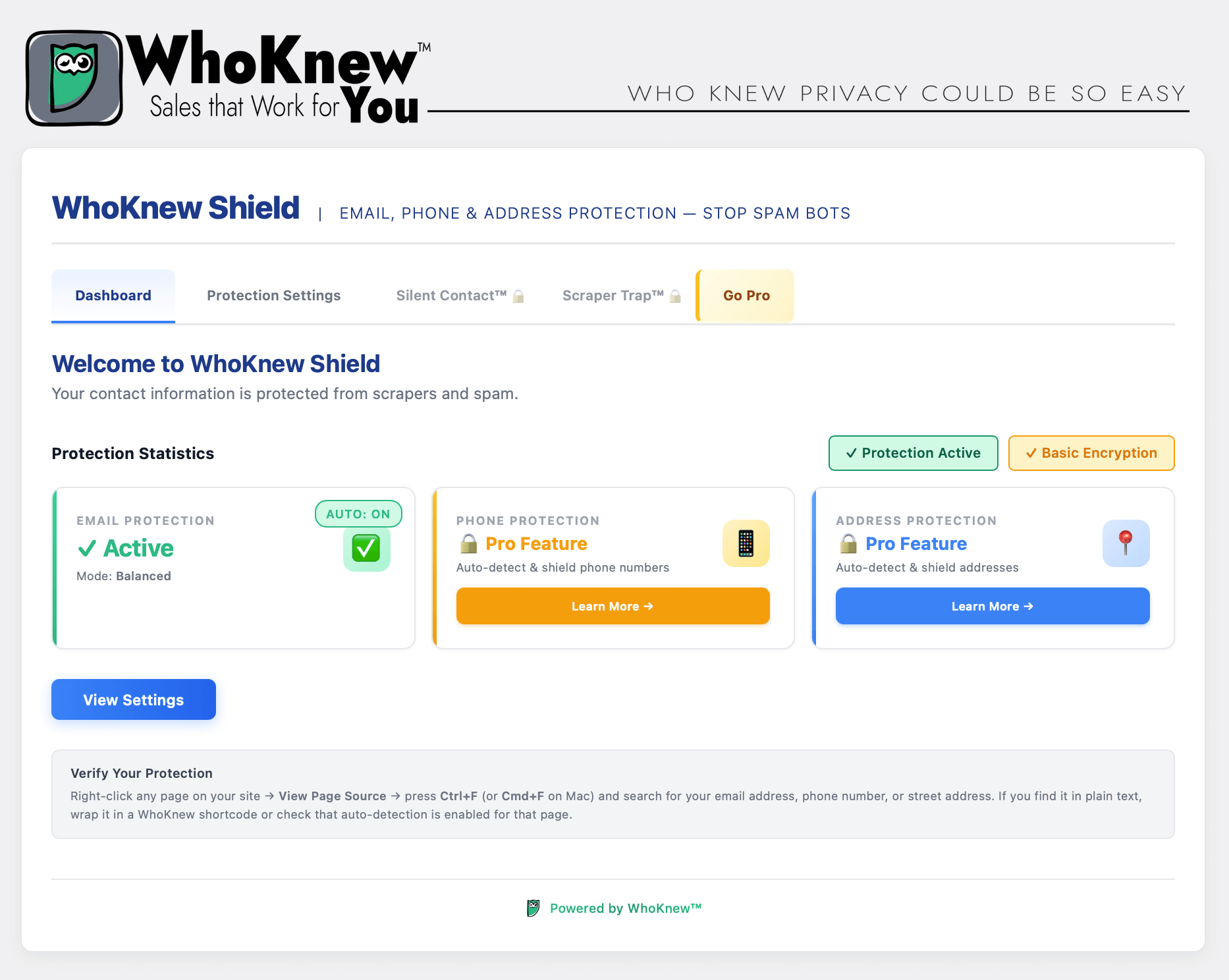
Dashboard — Security overview: email active, phone and address available in Pro 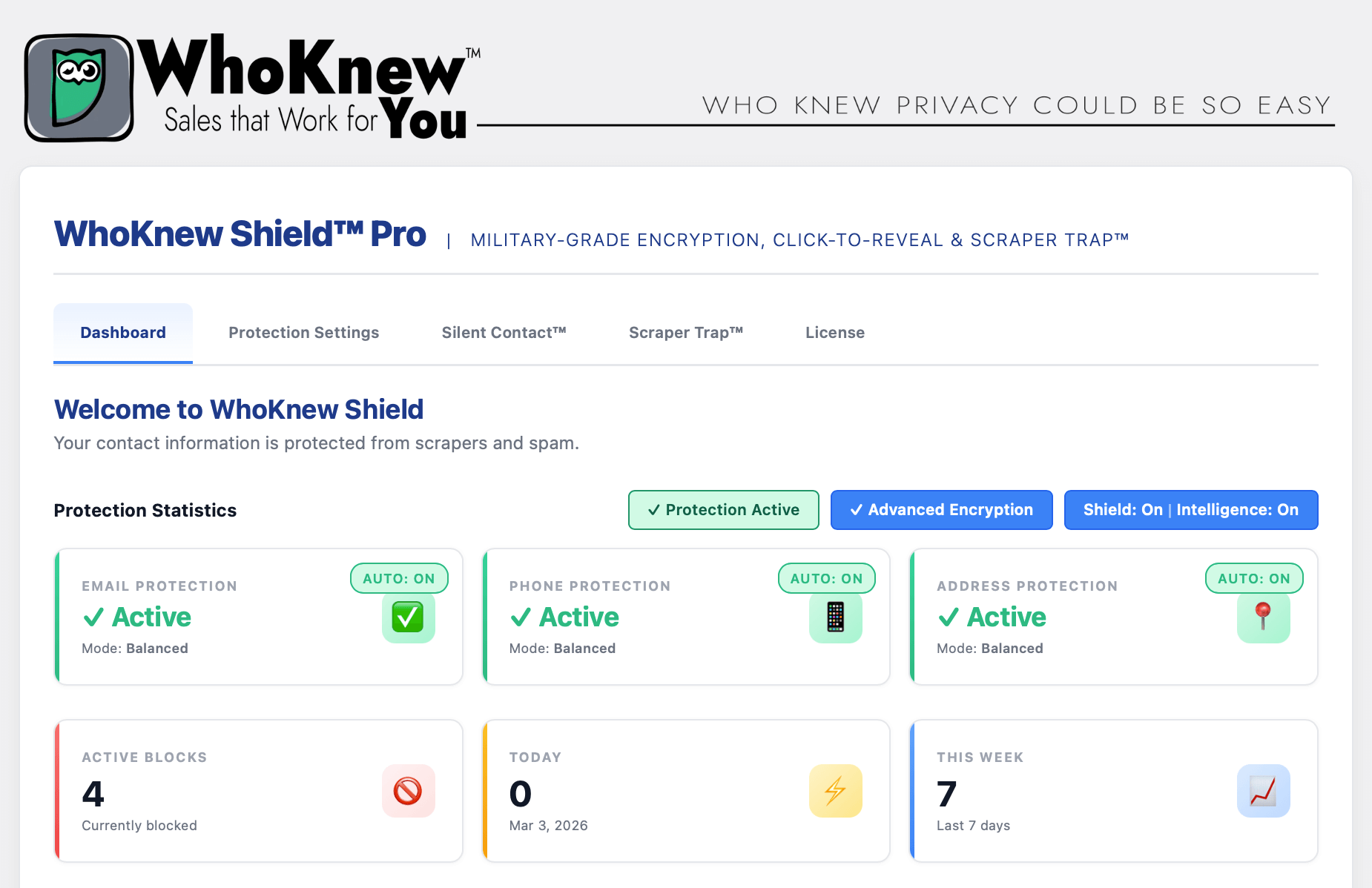
Pro: Dashboard — Full security active across all three contact types with advanced encryption and Intelligence 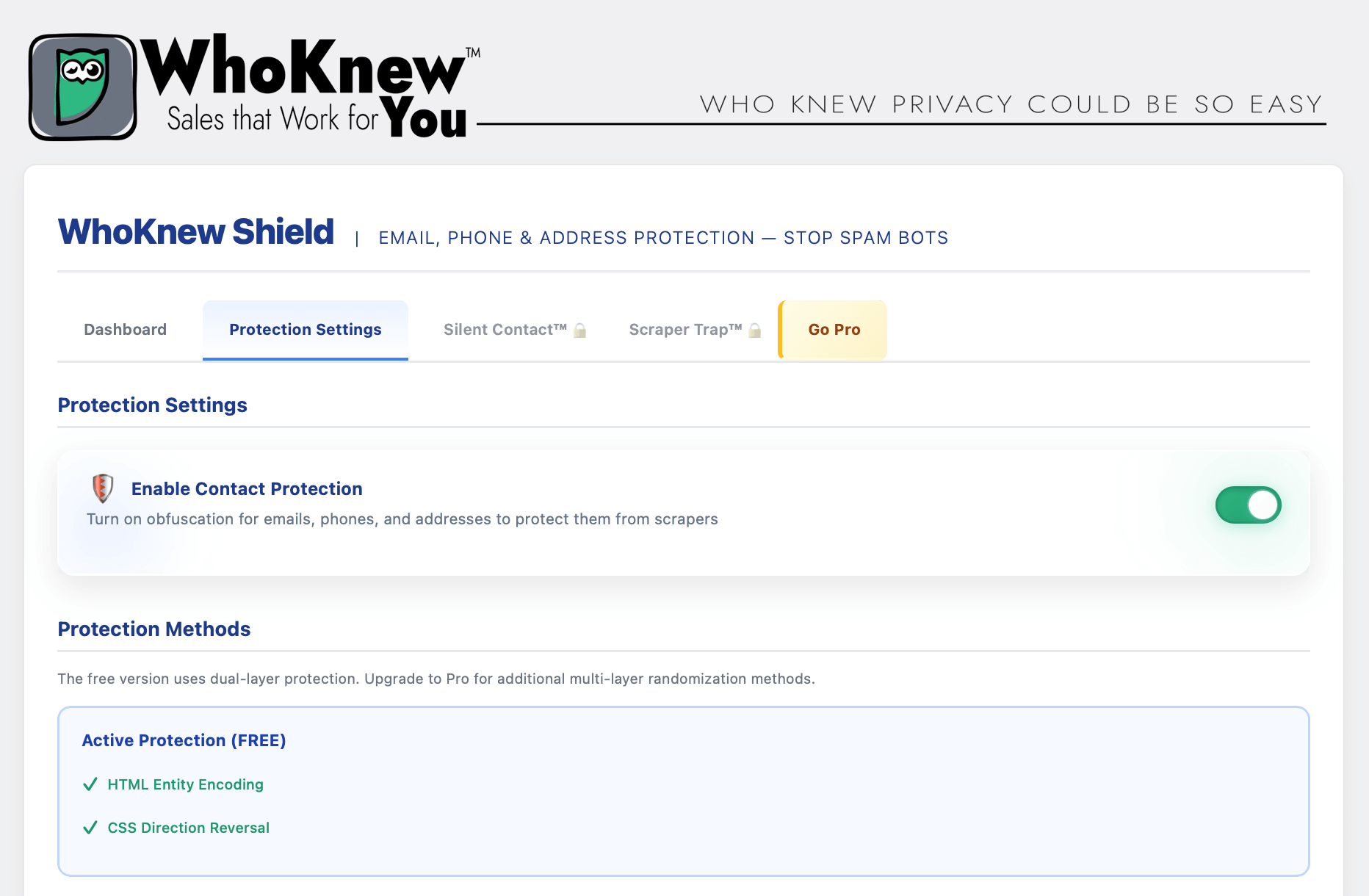
Protection Settings — Enable dual-layer contact security with one toggle 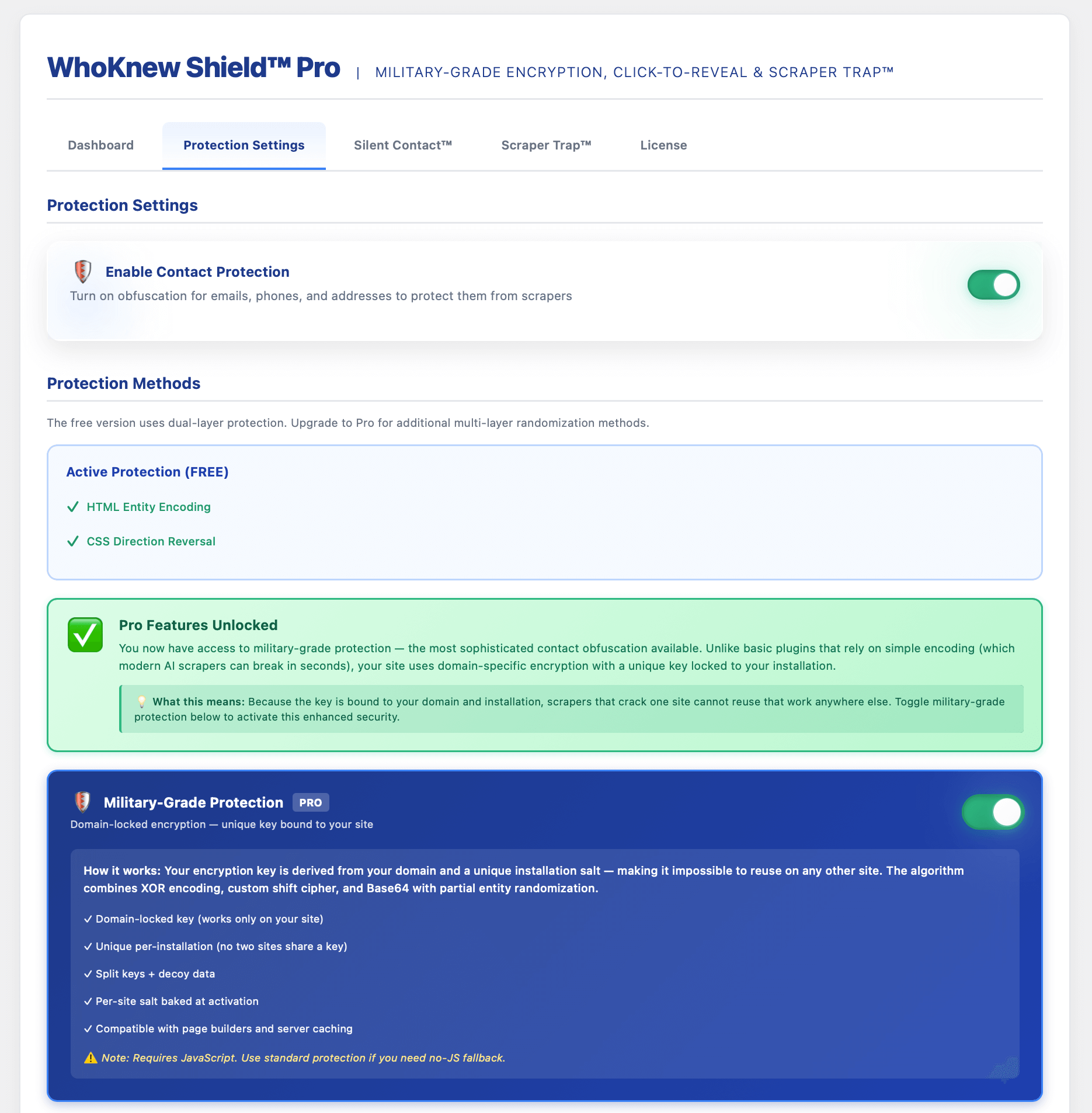
Pro: Military-Grade Protection — Domain-locked encryption unique to your site unlocked with Pro 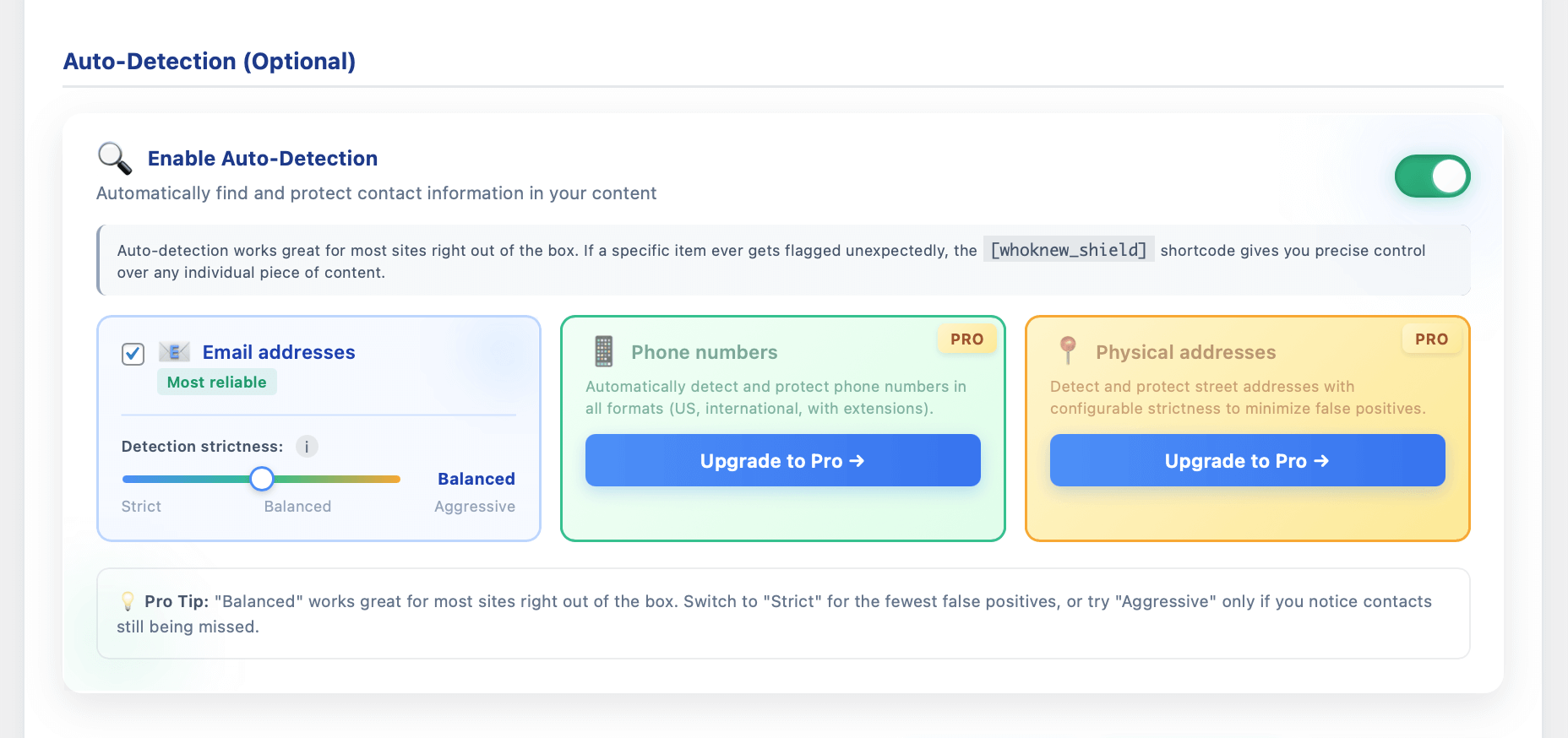
Auto-Detection — Automatically find and protect email addresses; phone and address detection in Pro 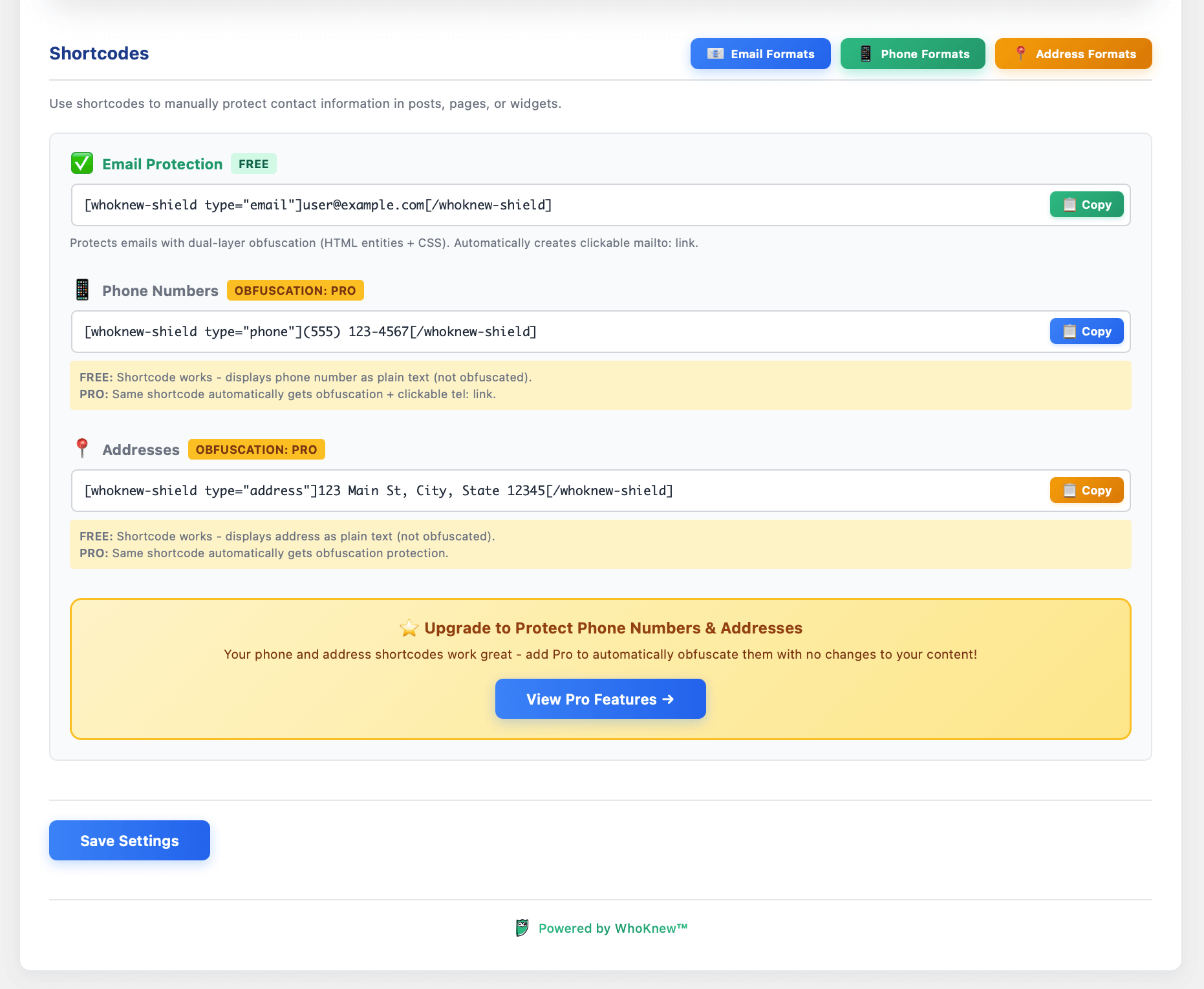
Shortcodes — Manually protect email addresses, phone numbers and physical addresses anywhere in your content 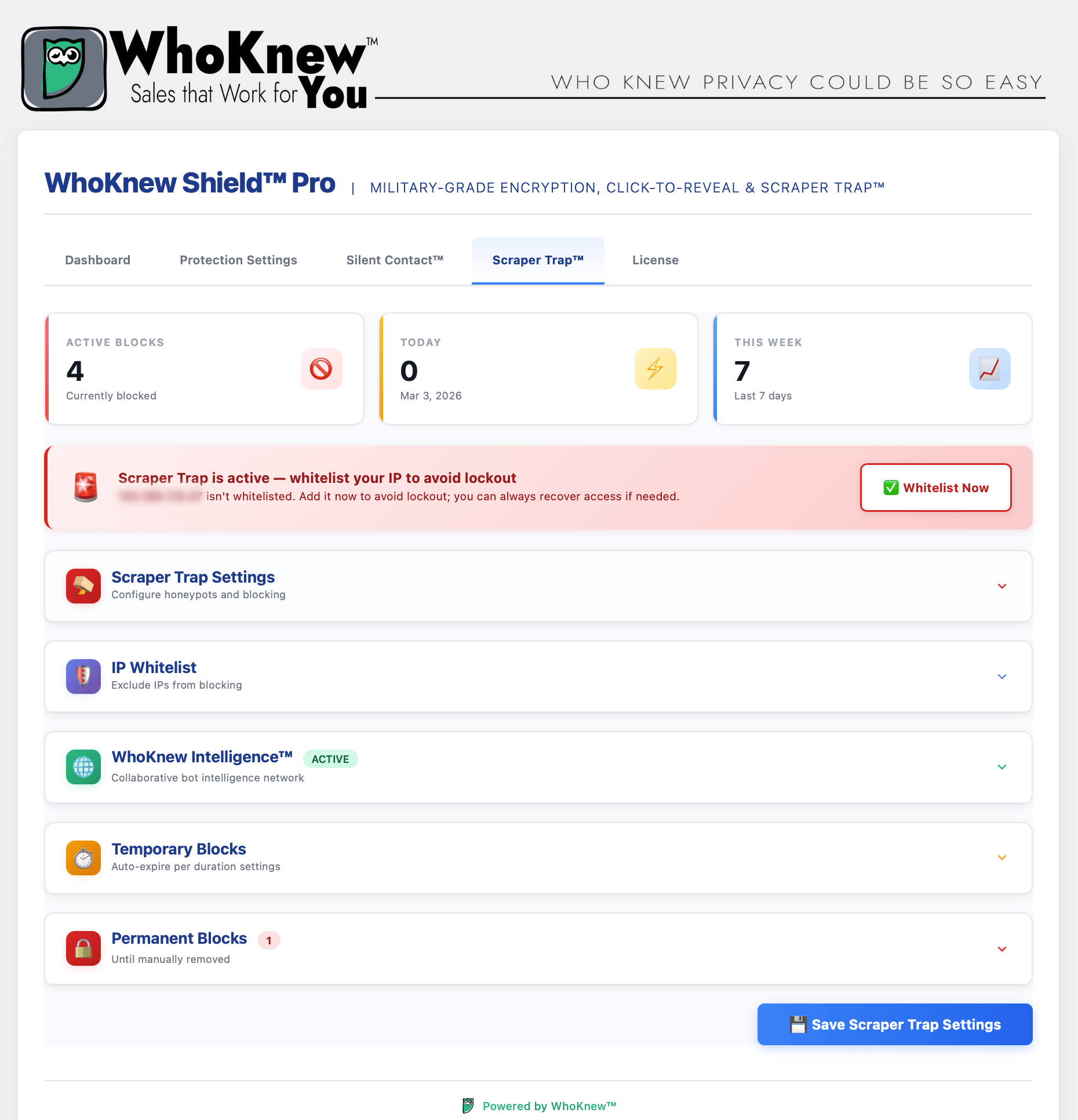
Pro: Scraper Trap™ WAF — Honeypot overview with active blocks, IP whitelist and Intelligence network 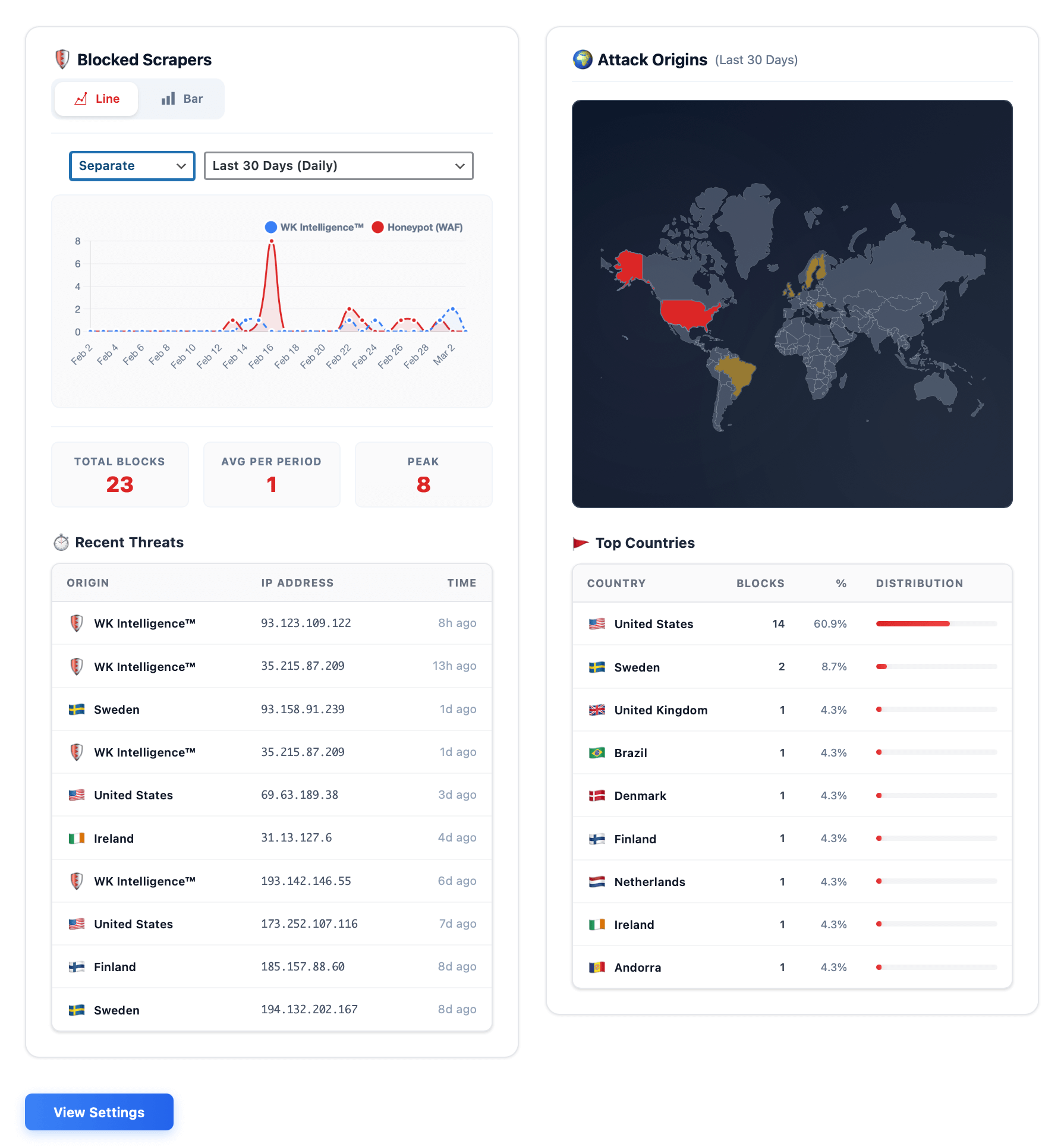
Pro: Scraper Trap™ Analytics — Blocked scrapers chart, attack origins map and top threat countries in real time 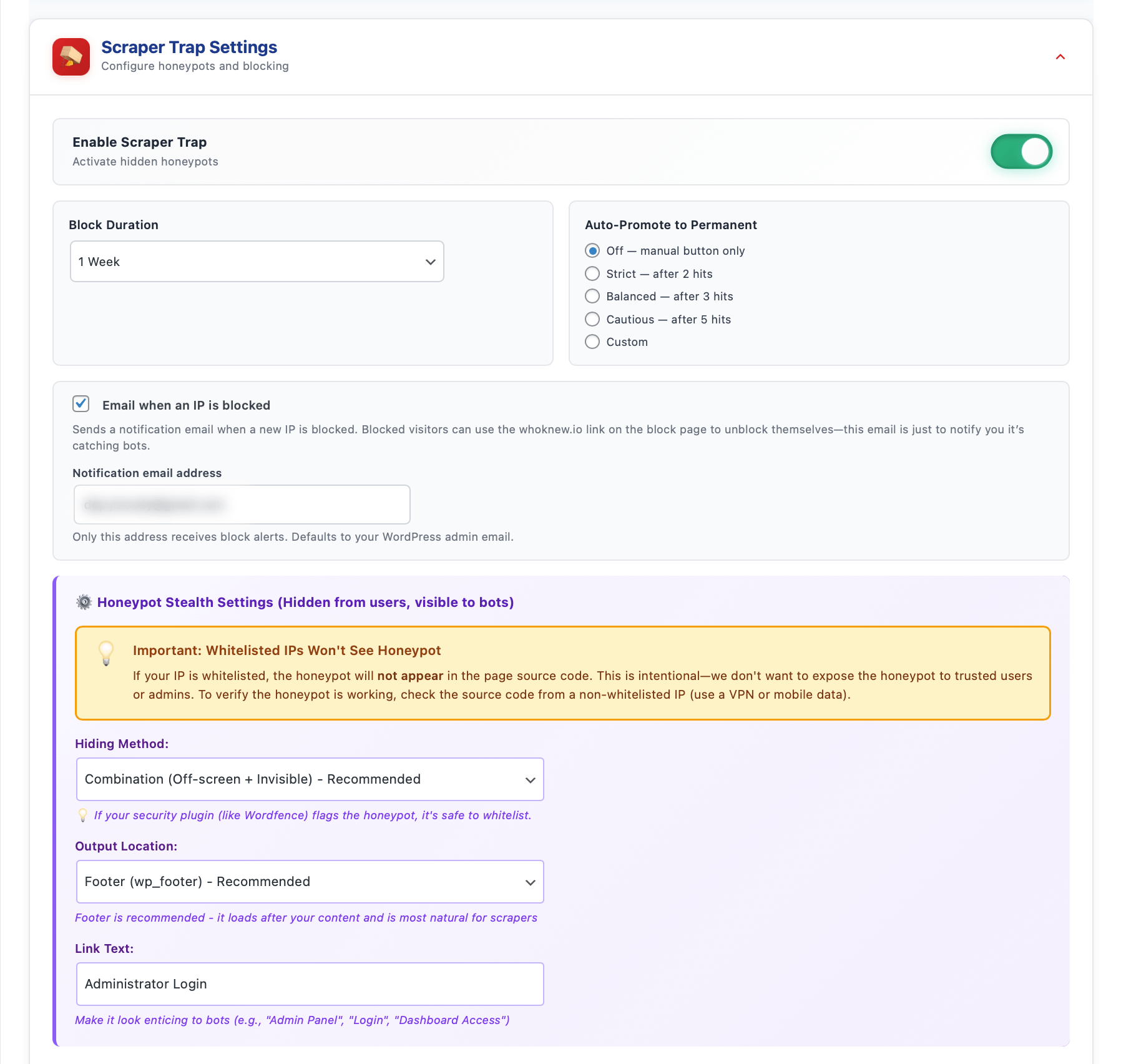
Pro: Scraper Trap™ Settings — Configure honeypots, block duration and auto-promote to permanent rules 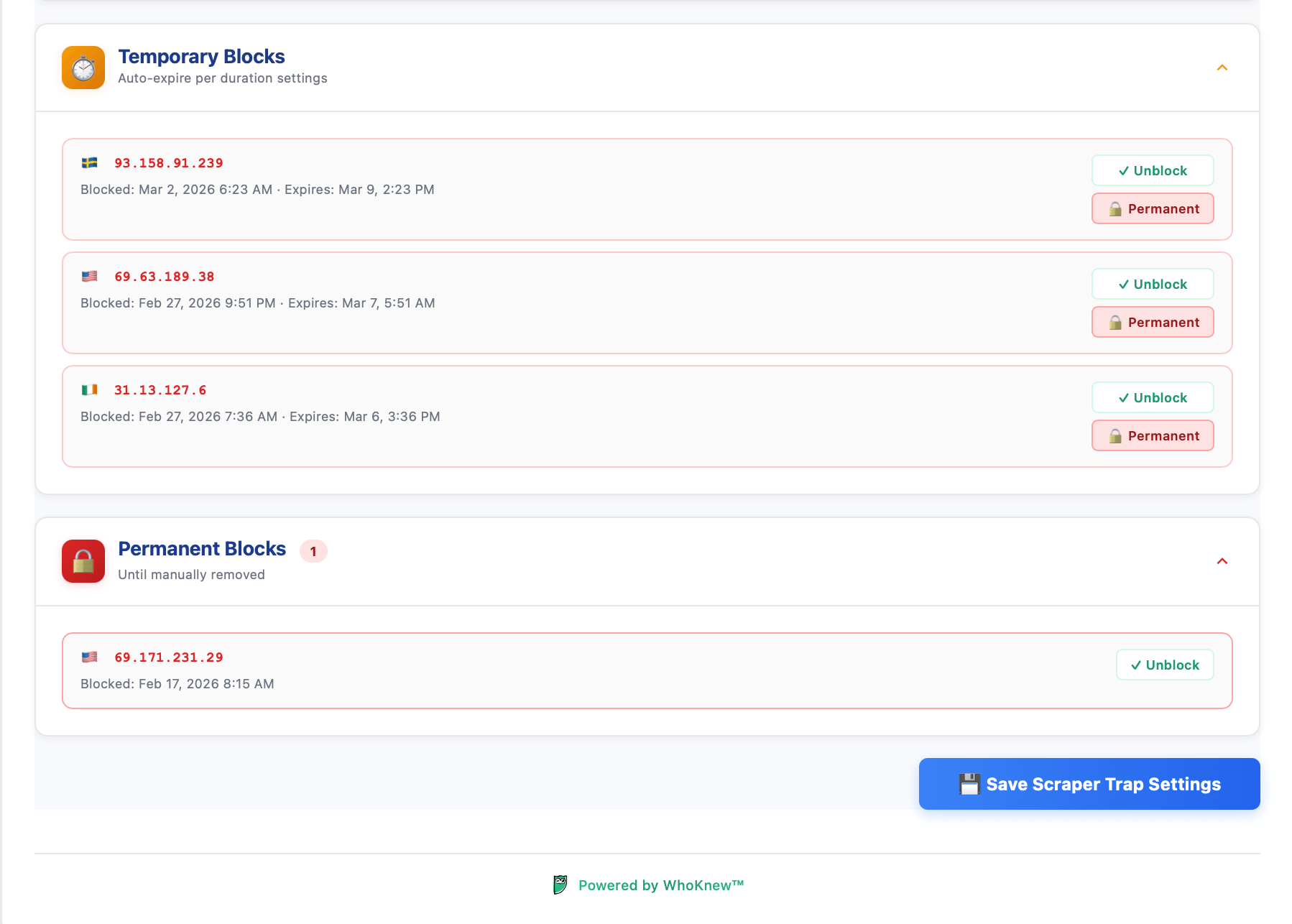
Pro: Active Block Management — Review, unblock or permanently ban caught scrapers 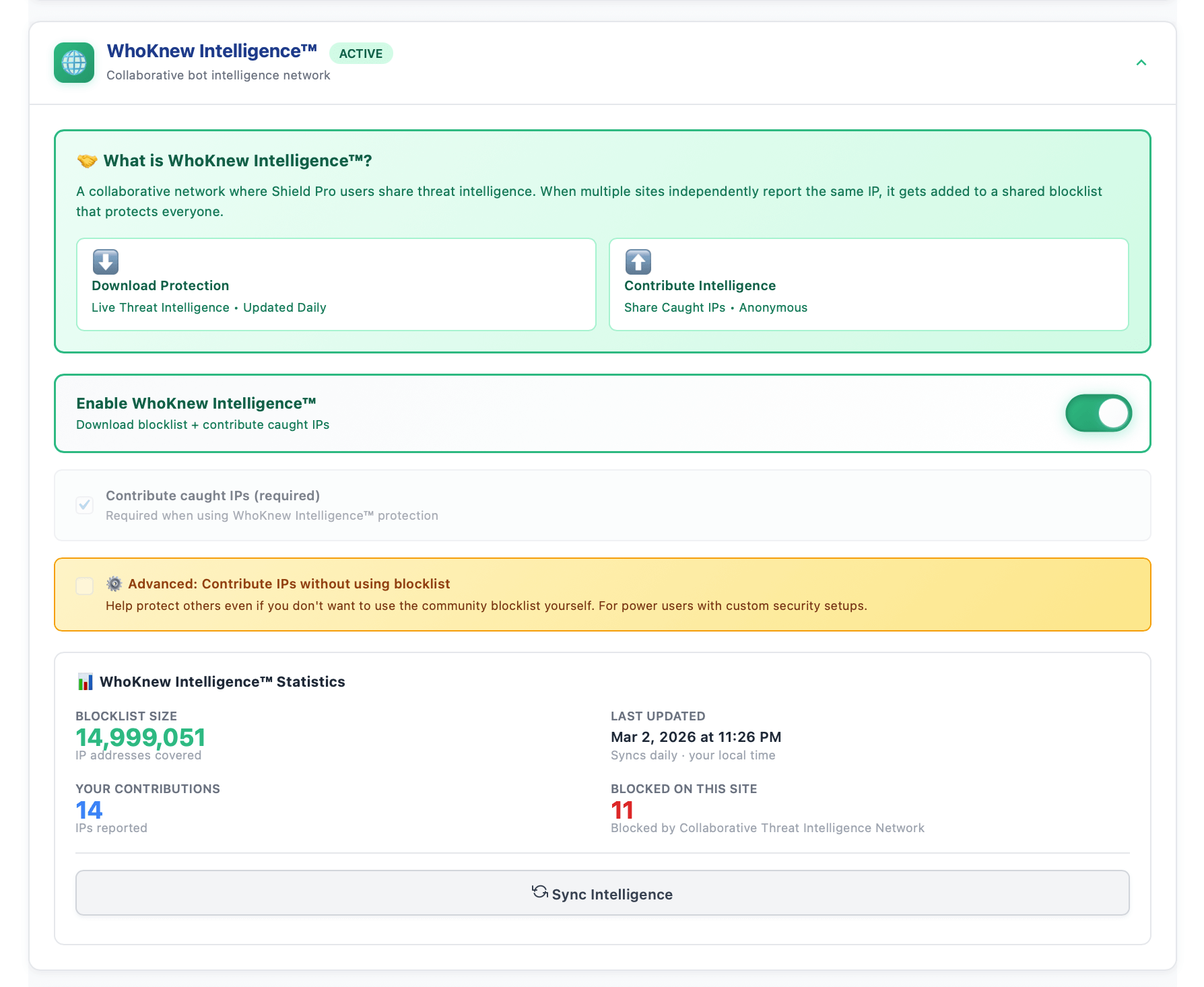
Pro: WhoKnew Intelligence™ — Community blocklist covering nearly 15 million IPs, updated daily 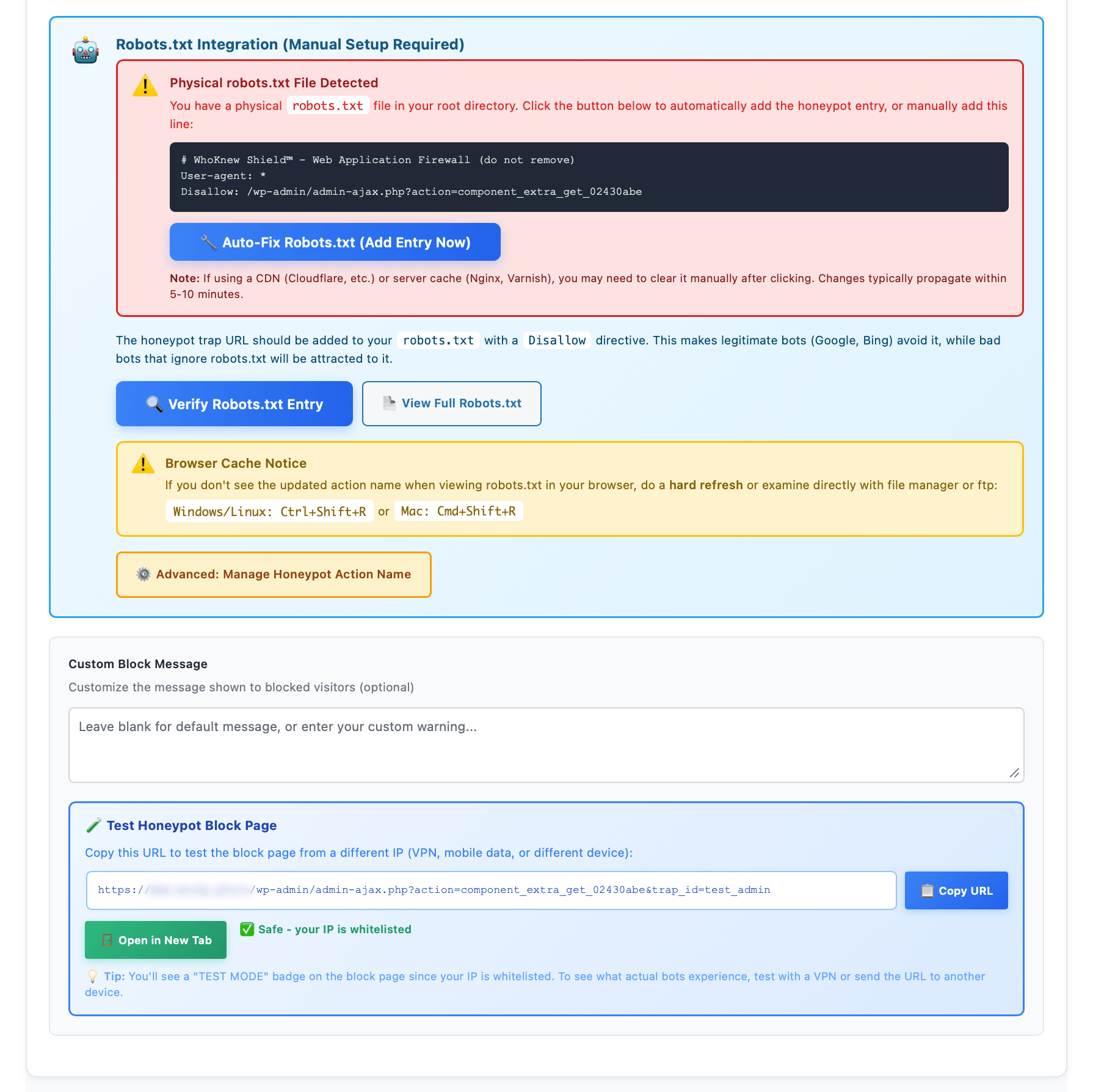
Pro: Robots.txt Integration — Automatically bait bad bots into the honeypot while repelling good ones
Installation
- Upload
whoknew-shieldfolder to/wp-content/plugins/ - Activate via Plugins > Installed Plugins
- Go to WhoKnew Shield in the admin menu to configure
- Enable auto-detection or add shortcodes to protect specific contacts
- Pro: Install WhoKnew Shield Pro and activate your license for advanced features
FAQ
-
What does this plugin do?
-
It protects your email addresses, phone numbers, and physical addresses from spam bots and scrapers by encoding them in a way that real visitors can still see and use (with one click), but automated tools have a much harder time harvesting. Uses dual-layer obfuscation (HTML entities + CSS reversal + JavaScript) for robust contact security.
-
Does it work with caching plugins?
-
Yes. Obfuscation is applied when the page is generated, so cached pages still show protected content. Compatible with WP Rocket, LiteSpeed Cache, W3 Total Cache, SiteGround Speed Optimizer, and other major caching solutions.
-
Can I protect only emails, or only phones?
-
Yes. In Protection Settings you can turn auto-detection on or off for email addresses (free), phone numbers (Pro), and physical addresses (Pro) separately. Shortcodes let you protect specific pieces of content regardless of auto-detection settings.
-
Is the free plugin fully functional?
-
Yes. The free plugin has no locked features. You get dual-layer security, email auto-detection, click-to-reveal, and all shortcodes. Pro adds phone and address auto-detection, Scraper Trap WAF with honeypots, IP blocking, analytics dashboard, and competitor shortcode support.
-
What is Scraper Trap?
-
Scraper Trap is a Pro feature that functions as a Web Application Firewall (WAF) to actively catch and block bots. It uses hidden honeypots (invisible links/forms that only bots trigger). When a bot takes the bait, their IP is automatically blocked site-wide. This is active security defense vs passive hiding — it protects your entire WordPress site by identifying and blocking threats before they can harvest any email addresses, phone numbers, or physical addresses.
-
Can I switch from another email protection or anti-spam plugin?
-
Yes! WhoKnew Shield Pro supports shortcodes from other popular anti-spam and email security plugins, making migration straightforward. If you’re using Email Address Encoder (
[encode]), Neotrendy’s Email Address Obfuscation ([obfuscate_email]), Email Encoder Bundle ([eeb_protect_emails],[eeb_mailto]), or Antispambot, just activate Shield Pro and deactivate the old plugin. All existing shortcodes work immediately. No find-and-replace needed. -
Why is auto-detection useful?
-
Manual shortcode plugins require you to wrap every email address or phone number individually, which is easy to miss — especially in old posts, footer widgets, or page builder sections. Shield’s auto-detection handles this automatically — set it once and contacts are protected everywhere.
-
Does it work without JavaScript?
-
The dual-layer security includes HTML entity encoding that works without JavaScript, but the click-to-reveal feature and full obfuscation require JavaScript to be enabled. Most modern users have JavaScript enabled. Pro includes advanced encryption that also requires JavaScript.
-
Is it GDPR / EU privacy compliant?
-
Yes. The plugin is designed to be GDPR-compliant. All security processing runs locally on your WordPress server. No external services are used for obfuscation. The free plugin has zero external dependencies — no CDN scripts, no API calls, no data transmission. Everything stays in your database. However, you should review your specific privacy requirements and ensure compliance with applicable regulations.
-
Does it work with page builders?
-
Yes. Shield works with Elementor, Divi, Beaver Builder, WPBakery, Gutenberg, Classic Editor, and any WordPress theme or page builder. Auto-detection finds email addresses, phone numbers, and physical addresses regardless of how your content was created.
-
Does it slow down my site?
-
No. Obfuscation processing is minimal and happens during page generation (cached by your caching plugin). No external scripts or CDN dependencies in the free version means zero external HTTP requests. Security protection is lightweight and fast.
-
Can real visitors still contact me?
-
Yes! Protected contacts show a simple click-to-reveal button. One click reveals the full contact information (email address, phone number, etc.). This is easy for real humans but blocks automated scrapers. You can customize the button text and styling.
-
What happens if I deactivate the plugin?
-
Your content returns to normal. Auto-detected contacts appear as plain text. Shortcodes will not render (you’ll see the raw shortcode text), so you may want to remove them if you permanently deactivate. No data is lost — deactivation is completely safe.
Reviews

Contributors & Developers
“WhoKnew Shield — Email, Phone & Address Security” is open source software. The following people have contributed to this plugin.
Contributors
Translate “WhoKnew Shield — Email, Phone & Address Security” into your language.
Interested in development?
Browse the code, check out the SVN repository, or subscribe to the development log by RSS.
Changelog
2.0.1
- Updated Pro pricing across admin notices and upgrade screens
- Improved plugin description and readme copy
2.0.0
- Launch: WordPress contact security for email addresses, phone numbers & physical addresses
- Dual-layer obfuscation (HTML entities + CSS reversal + JavaScript protection)
- Email auto-detection — write naturally, automatic security everywhere
- Click-to-reveal buttons — one click for visitors; blocks automated scrapers
- JavaScript-protected mailto links — email addresses never appear in HTML source code
- Competitor shortcode support — Email Address Encoder, Neotrendy, Email Encoder Bundle, Antispambot
- Multiple contact types — protect email addresses, phone numbers, physical addresses
- Manual shortcodes —
[whoknew_shield]for precise control when needed - Strictness controls — 3 detection levels to balance protection vs false positives
- Modern admin dashboard with intuitive settings
- Zero external dependencies — no CDN scripts, no API calls, complete privacy
- Cache-compatible — works with WP Rocket, LiteSpeed, W3 Total Cache, SG Optimizer
- Theme-agnostic — works with any WordPress theme and page builder
- Pro: Phone & address auto-detection for complete contact security
- Pro: Advanced encryption with domain-specific rotating keys (changes every 15 minutes)
- Pro: Silent Contact™ — PNG-rendered contact info with no text in the DOM
- Pro: Scraper Trap™ — Web Application Firewall (WAF) with hidden honeypot traps that catch bots
- Pro: WhoKnew Intelligence™ — Community blacklist network with daily-updated threat intelligence
- Pro: Automatic IP blocking (1hr to permanent) — blocks caught bots site-wide
- Pro: Anonymous threat sharing — contribute caught IPs to protect the community (optional)
- Pro: Live threat intelligence feed — block known scrapers before they reach your site
- Pro: Analytics Dashboard with visual charts showing block activity over time
- Pro: Geographic heat maps with country-level threat intelligence and flags
- Pro: Custom obfuscation engine to create your own scraper protection patterns
- Pro: Email alerts when threats are detected
- Pro: Click-to-reveal button customizer with 10+ pre-designed styles