

Description
Your fleet. Your bookings. Your rules.
CarRentory turns your WordPress website into a purpose-built car rental booking system. Give customers a clear path from choosing their rental dates to selecting a vehicle and completing their booking, while you manage vehicles, availability, pricing and reservations in one place.
Built for independent rental businesses, CarRentory combines a customer-friendly booking experience with practical tools for everyday fleet management. No WooCommerce required. No separate booking platform needed.
Start with a complete Free booking workflow. Add advanced pricing and Stripe with CarRentory PRO, or accept PayPal through the separate PayPal add-on.
Explore CarRentory | Documentation | Live Demo
The demo may include optional paid features.
A complete rental booking workflow, included Free
- Manage your fleet: Add vehicle images, specifications, categories, fuel types, daily prices and available quantities.
- Check rental availability: Match available vehicles to the customer’s selected pickup and return period.
- Work across locations: Configure pickup and drop-off locations, business hours, closed weekdays and closed dates.
- Make vehicle selection easier: Offer standard or compact search forms, useful filters and vehicle cards with clear specifications and pricing.
- Offer useful extras: Let customers add services and equipment, with per-day or per-booking pricing and quantities where configured.
- Accept offline bookings: Include Pay on Arrival and Bank Transfer with your own customer instructions.
- Keep bookings organized: Manage rental details, customers, booking status and payment status directly in WordPress.
- See the day ahead: Review pickups, returns and recent bookings from the dashboard, with calendar and availability screens for planning.
New rental rules. More control over every booking.
Your fleet has requirements. Your booking system should understand them.
Configure minimum and maximum driver ages, minimum licence experience and automatic, itemized young-driver fees. Offer included protection plans and optional upgrades, with your own coverage descriptions, exclusions, terms and damage or theft excess amounts.
Assign protection plans to vehicles and use fleet-readiness guidance to identify missing assignments. Display pickup-deposit requirements separately from the booking price; these are informational, not online deposit collection or card pre-authorisations.
Driver requirements, young-driver fees and protection plans are included in Free and disabled by default. Enable only what your business needs.
CarRentory PRO: more pricing power, online payments and financial visibility
Take your rental operation further with the optional, separately purchased CarRentory PRO add-on:
- Seasonal Pricing: Set date-based daily rates for individual vehicles.
- Location Fees: Apply pickup and drop-off charges as part of the rental calculation.
- Stripe Checkout: Accept online card payments through hosted checkout, with verified payment updates and optional automatic booking confirmation.
- Tax and financial tools: Configure VAT-inclusive pricing where applicable and review payments and outstanding balances.
- Exports and administration: Export booking and financial data to CSV, print booking documents and use quick status and payment actions.
- Stripe troubleshooting: Use configuration diagnostics and privacy-safe support reports to investigate payment setup issues.
CarRentory Free remains fully usable without PRO. PRO extends the booking system; it does not replace it.
PayPal payments, with or without PRO
Give customers another familiar way to pay with CarRentory PayPal, an independent paid add-on:
- Accept full booking payments through PayPal’s hosted checkout.
- Receive verified payment updates and optionally confirm fully paid bookings automatically.
- Manage full or partial refunds from the booking administration screen, with separate Sandbox and Live configurations.
PayPal works with CarRentory Free 1.1.0 or later, with or without PRO. It is purchased and licensed separately and is not included in a PRO licence. Payment-provider accounts, configuration and applicable transaction fees are separate.
Built for your website and your customers
CarRentory provides responsive booking screens, clearly organized rental information and customer and administrator booking emails. Compatible online-payment add-ons use the shared completion-email workflow so notifications reflect the verified payment and resulting booking status.
Use CarRentory in English, German, Greek, Spanish, French, Italian, Dutch or Swedish. The plugin is translation-ready and includes Polylang-aware page and locale handling. WPML is not supported.
Developers can customize the customer-facing Free templates through theme or child-theme overrides and use documented extension points without editing plugin core files.
Booking and customer records are stored in your WordPress database. Site owners remain responsible for their privacy notices, rental terms and legal obligations.
Make your website work as hard as your fleet. Start with CarRentory Free and build the booking experience your business deserves.
Features
- Vehicle, category, location, and fleet quantity management.
- Quantity-aware availability checks.
- Business hours, closed weekdays, and closed dates.
- Base daily pricing and currency settings.
- Optional booking extras.
- Responsive search, results, filters, and booking flow.
- Pay on arrival and bank transfer payment methods.
- Admin booking and payment-status management.
- Basic booking calendar and availability screens.
- HTML booking confirmation emails.
- Eight prepared languages and translation-ready strings.
- Theme and child-theme overrides for all Free customer-facing templates.
- Template, view-data, pricing, payment, and workflow hooks.
- No WooCommerce dependency.
Shortcodes
Use these shortcodes on your frontend pages:
[carrentory_search_form]– Displays the rental search form.[carrentory_vehicle_results]– Displays matching vehicle results.[carrentory_booking_form]– Displays the booking request form.
Recommended page setup:
Search and results page:
[carrentory_search_form]

[carrentory_vehicle_results]
Booking page:
[carrentory_booking_form]
Select these pages in CarRentory settings so the booking flow can create the correct links and redirects.
Payments
Enable pay on arrival, bank transfer, or both in Payments settings. Staff can update the selected method and payment status from the booking screen.
Stripe Checkout is part of the optional CarRentory Pro add-on and is not included in Free.
Screenshots


Installation
- Install CarRentory from the WordPress Plugins screen and activate it.
- Open CarRentory > Setup and create or select the search/results and booking pages.
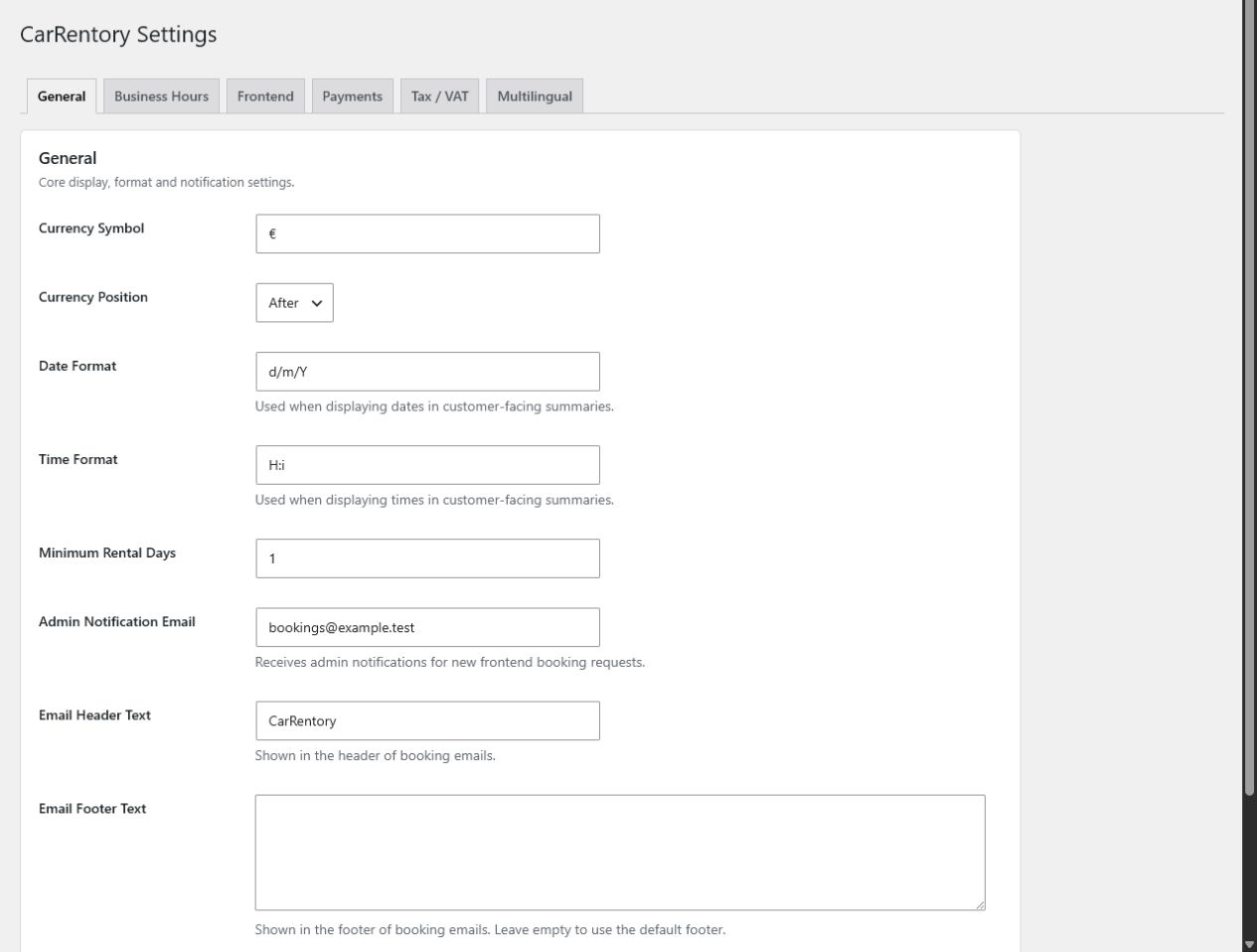
- Configure currency, business hours, closed dates, emails, and offline payment methods.
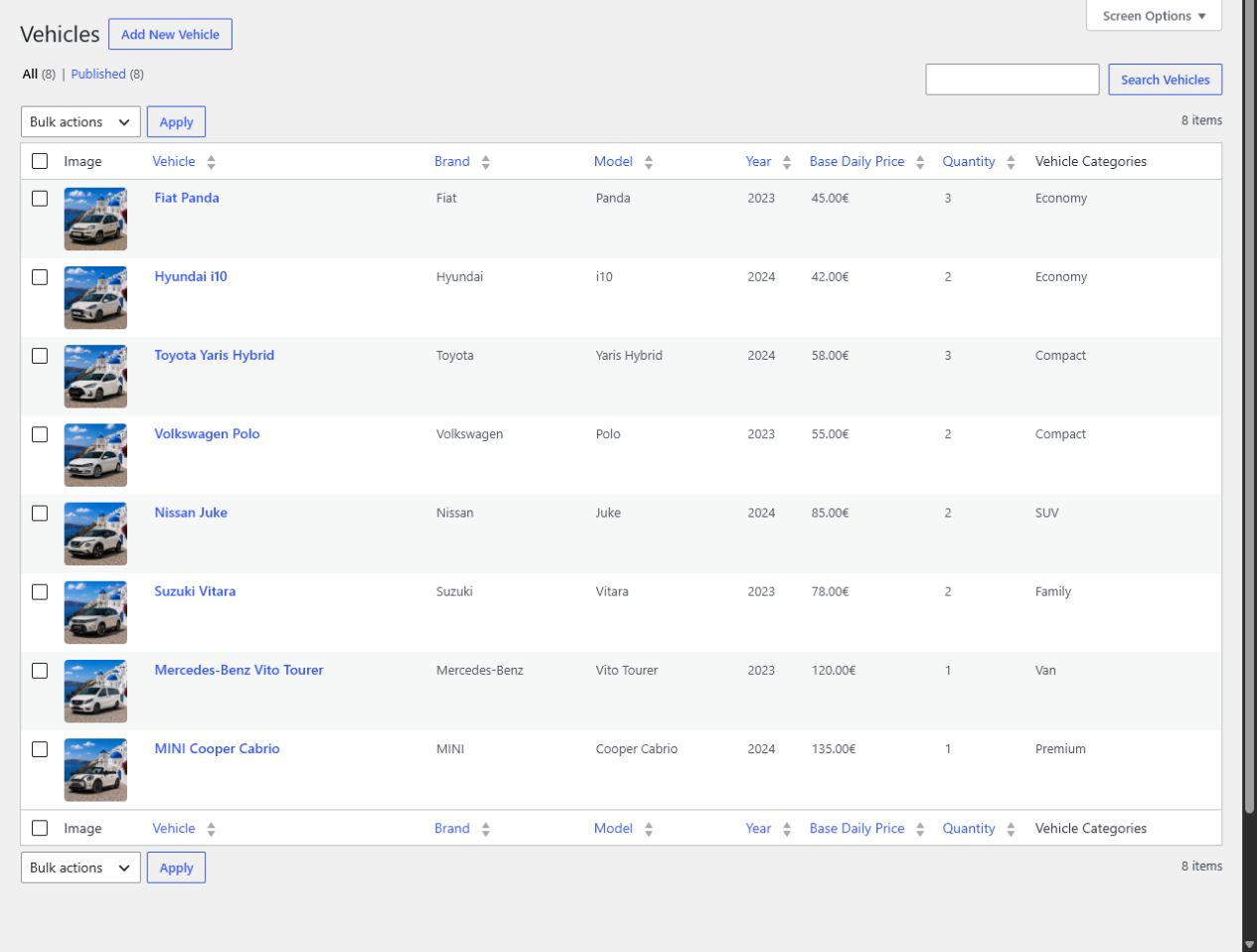
- Add locations, vehicle categories, vehicles, quantities, base prices, and any extras.
- Confirm that the required CarRentory shortcodes are present on the selected pages.
- Complete a test search and booking before accepting customer requests.
FAQ
-
Does CarRentory require WooCommerce?
-
No. CarRentory provides its own fleet, availability, search, booking, and administration workflow.
-
Can I use CarRentory Free without buying Pro?
-
Yes. Free is a standalone booking plugin with fleet management, availability, offline payments, admin bookings, and a basic calendar. Pro is an optional add-on.
-
Which payments are included in Free?
-
Pay on arrival and bank transfer are included. Stripe Checkout is available in CarRentory Pro and is not part of Free.
-
Which languages are available?
-
CarRentory is translation-ready and has prepared translations for English, German, Greek, Spanish, French, Italian, Dutch, and Swedish.
-
Does CarRentory support WPML or Polylang?
-
WPML is not supported. CarRentory’s built-in multilingual runtime and normal WordPress translation system do not require it. The plugin includes Polylang-aware page and locale handling but does not claim official Polylang certification.
-
Can I customize the complete frontend booking flow?
-
Yes. All customer-facing templates owned by CarRentory Free can be copied to a
carrentorydirectory in a theme or child theme and customized there. -
Will template overrides change pricing or availability logic?
-
Templates control presentation. Keep business rules in plugin services or hooks so pricing stays consistent across previews, saved bookings, emails, and admin views.
-
Where is booking data stored?
-
Booking and customer details are stored in the site’s WordPress database and managed through the CarRentory admin screens.
-
CarRentory uses a necessary first-party booking cookie lasting up to 24 hours to prevent duplicate submissions. Anonymous booking attempts are also limited using short-lived, keyed identifiers derived from the booking context, email address, and direct network address. The protection records contain no raw cookie tokens, email addresses, or IP addresses. They expire within 24 hours and are cleaned during booking traffic and scheduled WordPress cleanup while the plugin is active. No CAPTCHA, analytics tracking, or external protection service is used. Booking pages must be excluded from full-page caching, and custom booking forms must retain the supplied hidden security fields.
Reviews
There are no reviews for this plugin.
Contributors & Developers
“CarRentory – Car Rental Booking” is open source software. The following people have contributed to this plugin.
Contributors
Translate “CarRentory – Car Rental Booking” into your language.
Interested in development?
Browse the code, check out the SVN repository, or subscribe to the development log by RSS.
Changelog
1.1.1
- Fixed protection-plan price updates before exact driver details are entered, using the selected search-age group for the provisional quote.
- Automatically open the selected protection plan’s details and keep its selection and keyboard focus consistent after price updates.
- Keep exact driver details and all booking eligibility checks required when submitting the booking.
1.1.0
- Added configurable driver age and license-experience requirements, itemized young-driver fees and protection plans, all disabled by default.
- Added protection-plan management, vehicle assignments, informational pickup deposits and fleet readiness guidance.
- Improved standard and compact search with accessible driver-age selection, required-field validation and clearer rental summaries.
- Refined vehicle cards with aligned titles, consistent icons and clearer driver requirements and price breakdowns.
- Added managed fuel types while preserving existing vehicle fuel values.
- Reorganized payment-method settings and booking, vehicle and extra editors.
- Redesigned the dashboard around today’s pickups, returns and recent bookings.
- Improved customer and administrator booking emails and saved driver/protection summaries on booking confirmations.
- Added a shared currency code, verified full-payment recording and capture/refund financial data for compatible add-ons.
- Send online-payment completion emails after verified payment and booking updates, with duplicate suppression; compatible payment adapters are required.
- Preserved notifications with older online-payment adapters and corrected inventory handling for separate payment-ledger connections.
- Fixed translated-field text preservation, mobile translation layouts and Swedish customer-email overflow; completed supported-language translations.
1.0.3
- Fixed the Stripe Checkout handoff so successful online-payment bookings redirect before theme output begins.
- Prevented duplicate booking and payment-provider processing when reusing the prepared submission result.
- Improved the booking admin layout so long payment identifiers and Checkout URLs wrap without horizontal overflow.
- Hide the optional Extras section when no extras are active and keep checkout section numbers consecutive.
- Clarified the booking summary with grouped rental details, readable pricing and the final total at the end.
- Stabilized booking and results typography so theme text sizes and weights do not distort plugin controls.
- Extended consistent typography to booking confirmations and aligned vehicle image heights in results.
- Display actionable settings validation messages on the CarRentory settings page.
1.0.2
- Strengthened booking-return privacy and protected terms-page handling.
- Added final spreadsheet-safety protection for CSV export values.
- Added Swedish and bundled the reviewed compiled translations for all prepared languages.
- Added payment-specific booking action labels, including the secure-payment handoff used by compatible gateways.
1.0.1
- Improved booking validation and protection against invalid rental requests.
- Added protection against duplicate and repeated booking submissions.
- Improved inventory handling to prevent concurrent overbooking.
- Improved booking availability performance.
- Fixed search filters when using Plain Permalinks.
- Improved responsive layouts inside narrow WordPress theme containers.
- Added compatibility with WordPress 7.1.
- Added general stability and security improvements.
1.0.0
- Prepared CarRentory Free for its first public release.
- Completed the responsive search, results, filters, booking, and calendar experience.
- Added complete frontend template overrides and a reviewed, contract-tested developer extension API.
- Completed multilingual catalogs for seven languages.
- Hardened webhook request matching, shortcode output, payment returns, and admin notice scoping for the public release.
- Kept Seasonal Pricing, Location Fees, Stripe, financial reports, exports, print, and quick actions in the separate Pro add-on.